HW10 Summary

Time Log Teams

  • Date: March 10, 2026 From: 4:30pm To: 4:50pm
  • Date: March 11, 2026 From: 7:50pm To: 8:20pm
  • Date: March 14, 2026 From: 6:30pm To: 7:10pm 

Time Log Students

  • Date: March 10, 2026 From: 5:30pm To: 5:50pm
  • Date: March 11, 2026 From: 8:50pm To: 9:20pm
  • Date: March 12, 2026 From: 2:20pm To: 2:40pm
  • Date: March 14, 2026 From: 5:30pm To: 6:10pm

Essay I.

Summary of your activities in your contents including new contents created (one paragraph). Provide all the hyperlinks (clickable) of new contents you have created this week.

This week I expanded the content on my personal website by publishing two new reflective blog posts that explore themes of personal growth and life transitions. The first post, “Starting Over in Your Late Thirties,” discusses the challenges and opportunities that come with redefining your path later in life and emphasizes the clarity and intentionality that can come with starting over. The second post, “When You Thought You Found Your Purpose,” reflects on how our sense of purpose can evolve over time and how letting go of one path can lead to discovering a new one. These posts contribute to the blog by adding more personal storytelling and reflective content that connects life experiences with broader themes of identity, growth, and change.

New content created this week:

Essay II.

Summary of your KPI Table (add screenshots or table) (one paragraph).

Key Performance Indicators (KPIs) were identified to evaluate the performance of the website. The first goal focuses on increasing engagement with blog posts and photography content, measured through metrics such as page views, scroll activity, and user engagement. The second goal evaluates how effectively the website encourages visitors to explore multiple pages by tracking engagement rate and average engagement time. A third goal monitors visitor interest in learning more about me by analyzing page views for key pages such as the About and Blog sections. These KPIs were visualized in the Looker Studio dashboard using charts and tables to provide a clear overview of website performance and user behavior.

GoalKPIsMetrics (Charts in Looker Studio)
Goal 1: Increase engagement with blog postsNumber of visitors interacting with site content.Page Views, User Engagement, Scroll Events
Goal 2: Encourage visitors to explore multiple pages on the website.Average session engagement and number of pages visited.Engagement Rate, Average Engagement Time, Views per User
Goal 3: Track visitor interest in learning more about me.Number of visits to key pages such as About, Blog, or Thank You pages.Page Path Views, Sessions

Essay III.

Summary of your Looker Studio Report with your KPI identified (add screenshots) (one paragraph).

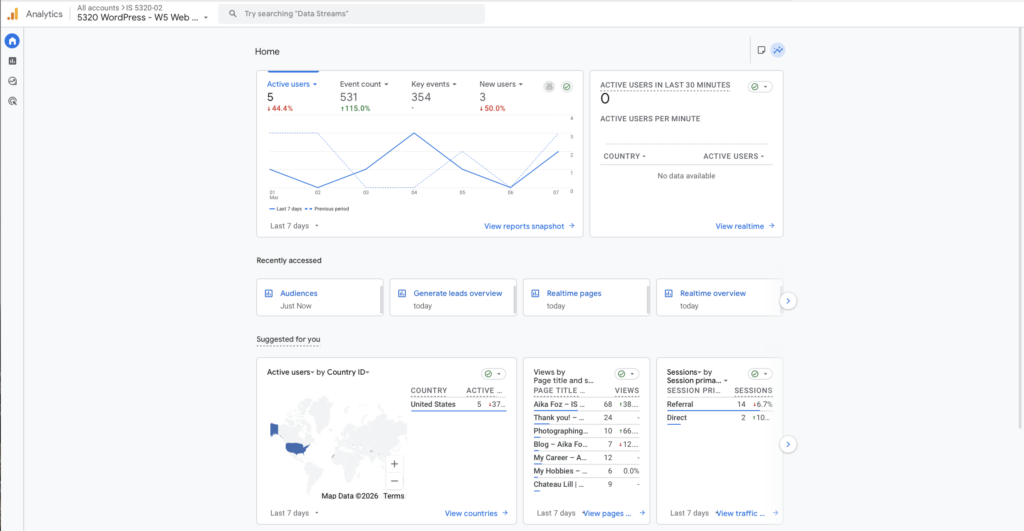
The Google Looker Studio report was created to visualize key performance indicators (KPIs) for my website using Google Analytics 4 data. The dashboard includes charts that monitor important website performance metrics such as views, total users, and sessions over time. One KPI focuses on overall website traffic and engagement, measured through metrics such as page views, sessions, and total users, which are visualized in a time-series chart to show trends in visitor activity. Another KPI tracks visitor interaction with specific pages on the website, which is displayed in a table showing page paths, views, new users, and active users. These visualizations help identify which content attracts the most visitors and how users interact with the site. By organizing the data into charts and tables, the Looker Studio report provides a clear overview of website performance and helps evaluate how effectively the site engages visitors.
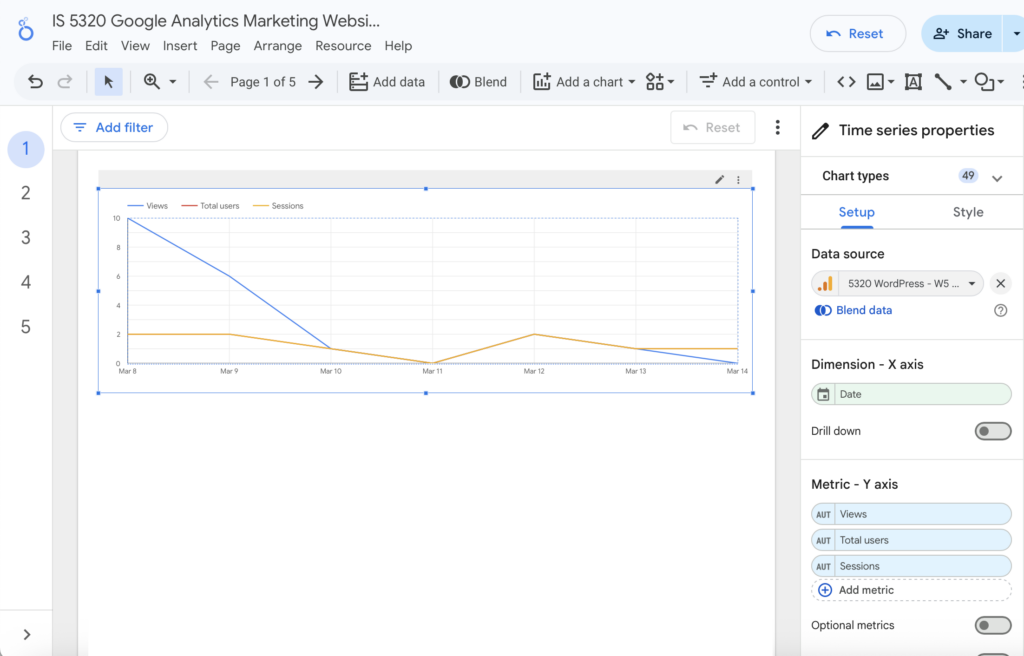
Figure 1. Time-series chart showing website traffic including views, users, and sessions.
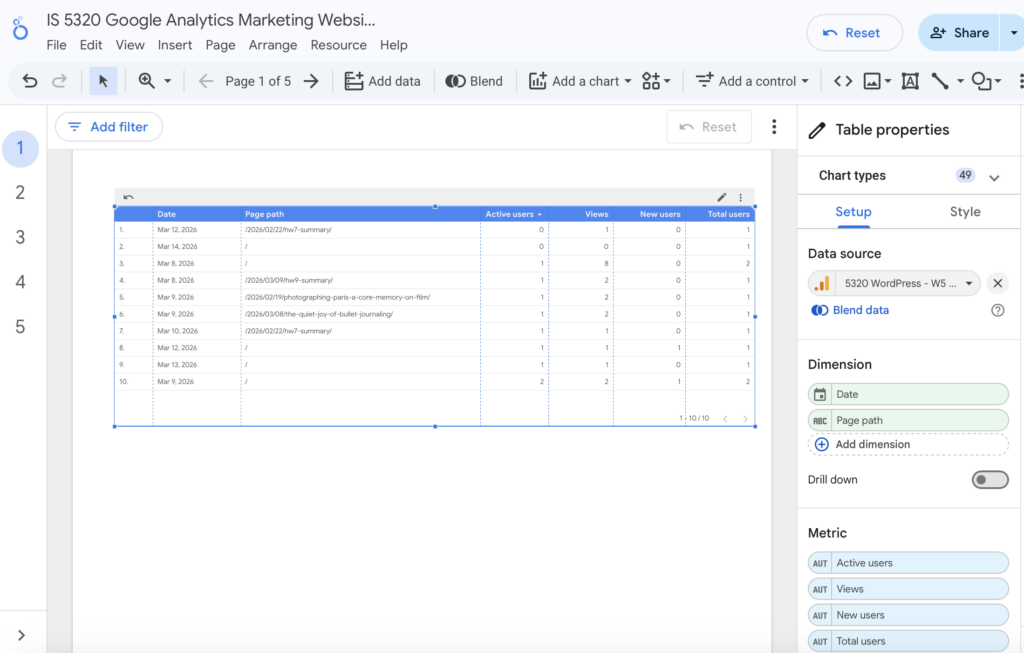
Figure 2. Table displaying page-level performance metrics including views and active users.
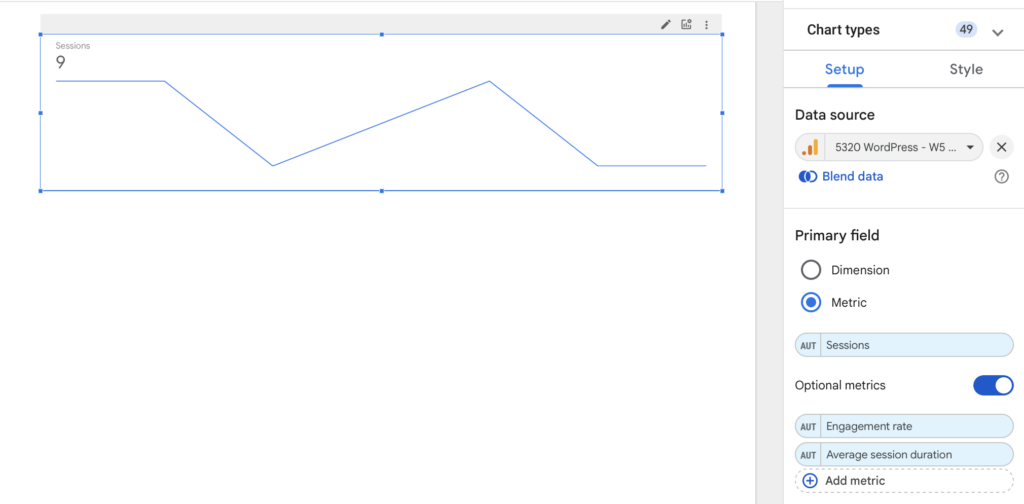
Figure 3. Session trend chart showing changes in visitor engagement over time.
HW9 Summary

Time Log Teams

  • Date: March 4, 2026 From: 4:30pm To: 4:50pm
  • Date: March 4, 2026 From: 4:50pm To: 5:20pm
  • Date: March 5, 2026 From: 9:30pm To: 10:10pm
  • Date: March 8, 2026 From: 6:00pm To: 6:30pm 

Time Log Students

  • Date: March 2, 2026 From: 6:30pm To: 6:50pm
  • Date: March 6, 2026 From: 4:50pm To: 5:20pm
  • Date: March 6, 2026 From: 5:20pm To: 5:40pm
  • Date: March 7, 2026 From: 7:30pm To: 8:10pm

Essay I.

Summary of your activities in your contents including new contents created (one paragraph). Provide all the hyperlinks (clickable) of new contents you have created this week.

This week, I expanded the content on my personal website by creating two new blog posts that reflect my creative interests and personal experiences. I decided to do something different and created two lifestyle-focused posts that explore hobbies I enjoy outside of photography, including bullet journaling and collecting blind boxes. These posts help broaden the tone of the site by blending personal storytelling with reflections on creativity, travel, and everyday inspiration. Together, these additions continue to develop my website as a space that documents both my artistic work and the experiences that shape it.

New content created this week:

Essay II.

Summary/analysis of your “automated insights” (add screenshots) (one paragraph).

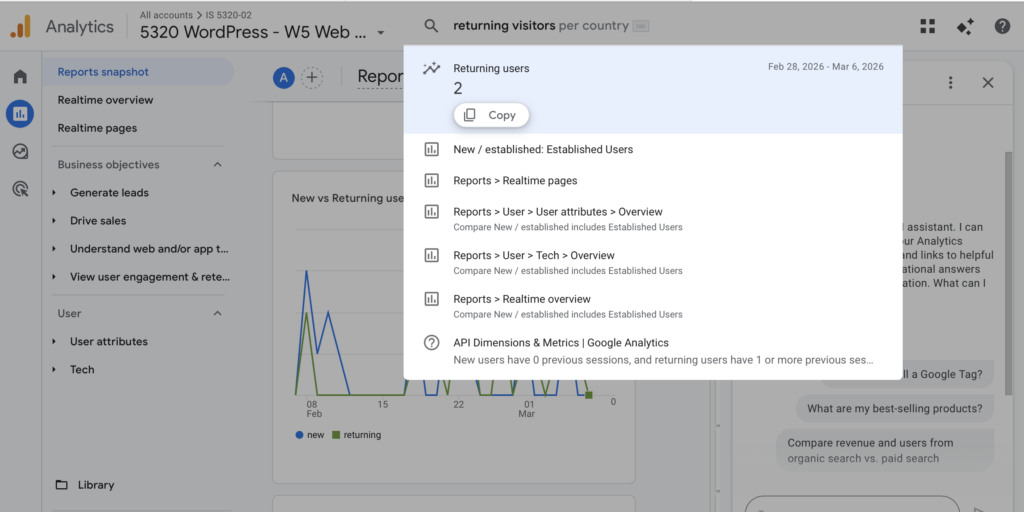
Automated Insights in Google Analytics 4 use machine learning to automatically detect patterns, trends, and anomalies in website data. These insights help analysts quickly understand changes in user behavior without manually analyzing reports. In my GA4 dashboard, automated insights can be accessed through the Reports Snapshot and the Insights panel located on the right side of the interface. The Insights panel allows users to ask questions using Analytics Intelligence or select suggested questions that generate quick data summaries. For example, I was able to view insights related to active users, traffic trends, and returning visitors directly through the system. These automated insights provide a quick overview of site performance and help identify potential patterns in user activity on my website.

Figure 1. GA4 Reports Snapshot showing the Automated Insights section.

Figure 2. Analytics Intelligence panel used to ask questions about site data.

Essay III.

Summary/analysis of your “custom insights” (add screenshots) (one paragraph).

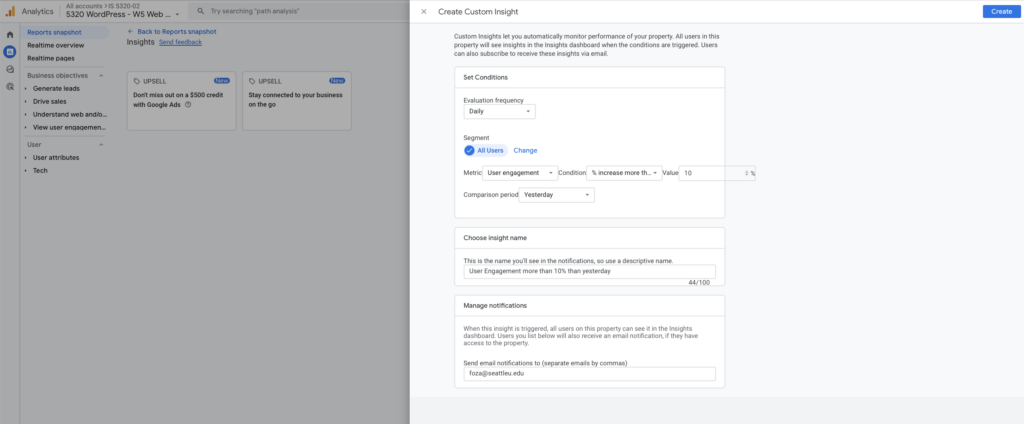
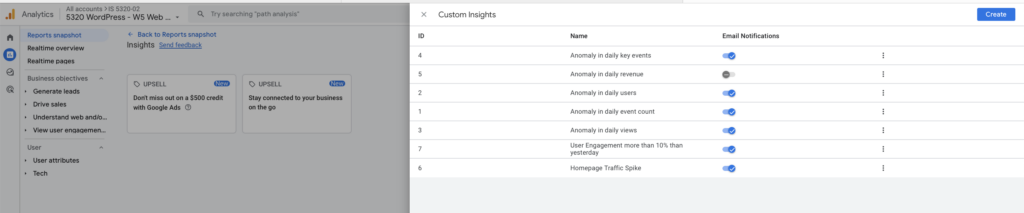
Custom Insights in Google Analytics 4 allow analysts to monitor specific metrics and automatically receive alerts when unusual changes occur in website performance. In this exercise, I created several custom insights to track important activity on my website. One example monitors user engagement and triggers an alert when engagement increases by more than 10 percent compared to the previous day. The insight evaluates data daily and can send email notifications when the condition is met. By defining custom rules such as changes in engagement, event counts, or traffic spikes, GA4 allows analysts to proactively monitor key performance indicators. Custom insights help site owners quickly identify significant trends or changes in user behavior without constantly reviewing reports manually.

Figure 3. Custom Insights dashboard displaying configured monitoring rules.

Figure 4. Example of a Custom Insight configuration monitoring user engagement changes.

HW8 Summary

HW8 Summary

Time Log Teams

  • Date: March 1, 2026 From: 7:30pm To: 6:50pm
  • Date: March 1, 2026 From: 6:50pm To: 7:20pm
  • Date: March 1, 2026 From: 7:30pm To: 8:10pm


Time Log Students

  • Date: February 27, 2026 From: 6:30pm To: 6:50pm
  • Date: February 27, 2026 From: 6:50pm To: 7:20pm
  • Date: February 28, 2026 From: 3:20pm To: 3:40pm
  • Date: March 1, 2026 From: 7:30pm To: 8:10pm

Essay I.

Summary of your activities in your contents including new contents created (one paragraph). Provide all the hyperlinks (clickable) of new contents you have created this week.

This week, I added two new blog posts to my personal website that feature a recent wedding day and an open house event at Chateau Lill in Woodinville, Washington. The posts highlight both the atmosphere of the venue and the quiet, meaningful moments that unfold throughout a wedding day and a visit on the grounds. Drawing from my experience as a wedding photographer, I focused on storytelling through images and reflections that capture the light, emotion, and natural beauty of the setting. The first post introduces Chateau Lill as a wedding venue and reflects on the feeling of celebration and stillness that the location offers. The second post focuses more closely on the smaller moments throughout the day, including preparation, portraits, and the peaceful environment surrounding the estate. Together, these posts help document the day visually while also sharing my perspective as a photographer observing the details and presence that make each wedding unique.

New content created this week:

Essay II.

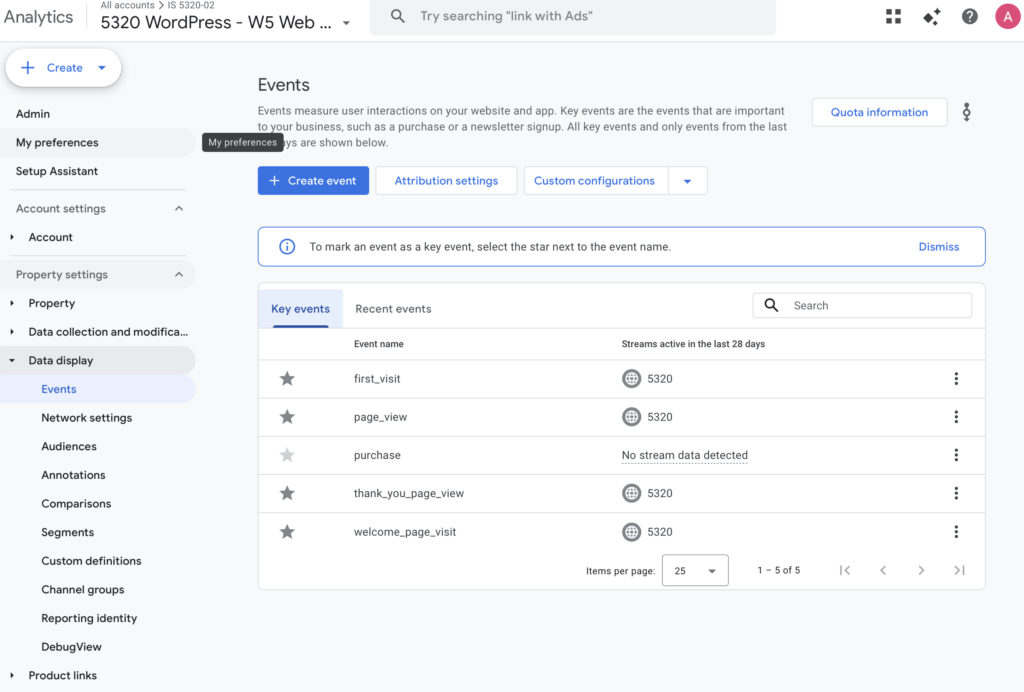
Summary of your “Thank you” event conversion (add screenshots) (one paragraph)

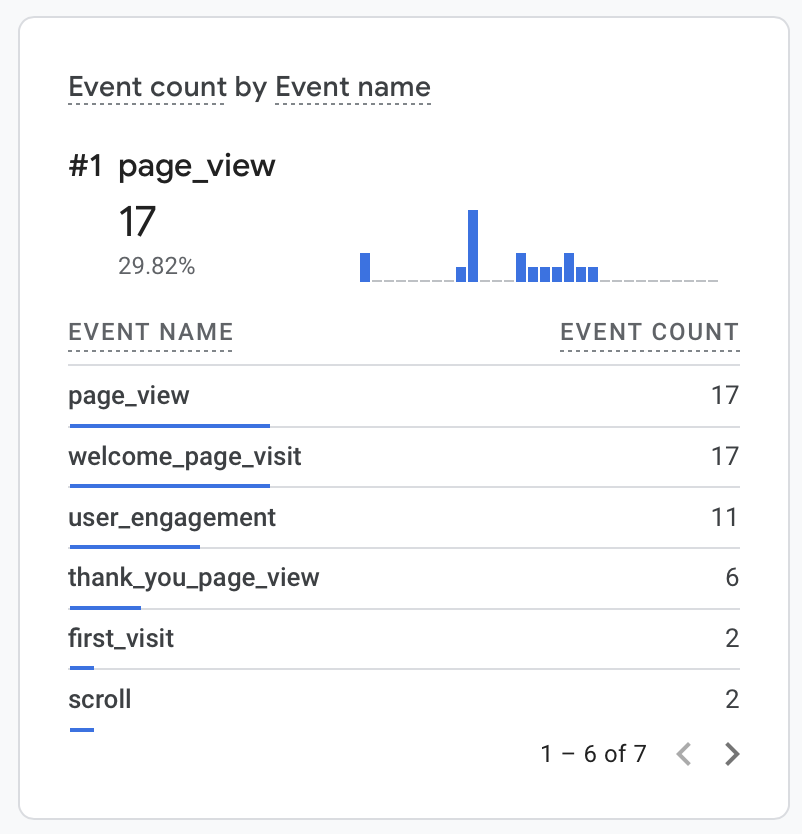
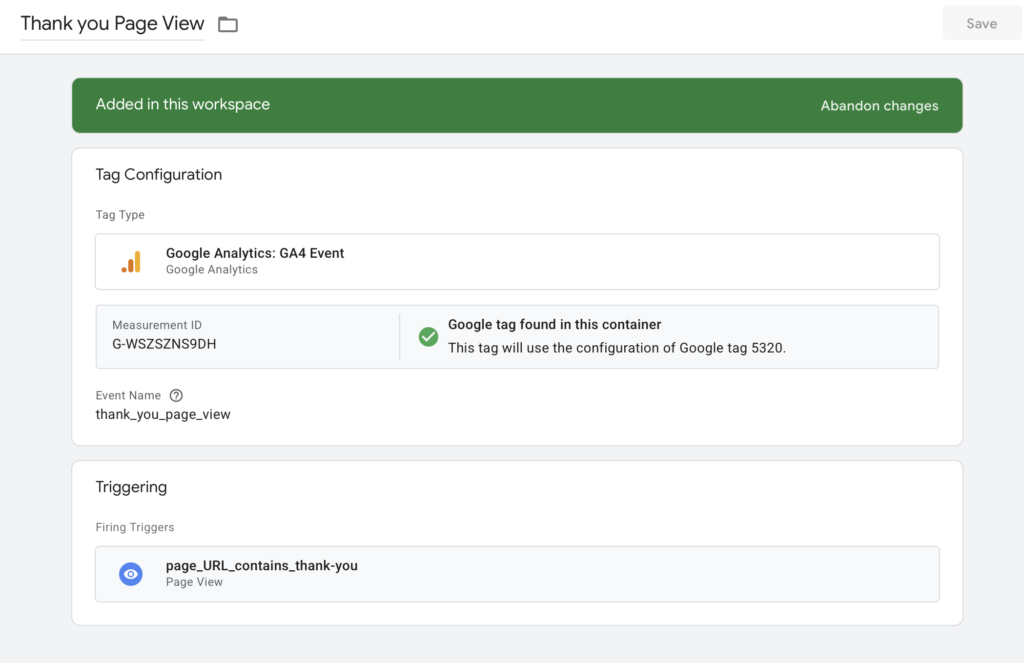
After creating the custom event in Google Tag Manager and marking it as a key event in GA4, an Exploration report was created to analyze the thank-you conversion event. The exploration filtered for the event “thank_you_page_view,” allowed me to observe event counts and user interactions associated with successful form submissions. This report helps demonstrate how GA4 can be used not only to track conversions but also to analyze user behavior and engagement related to those events.

Essay III.

Summary of your “menu click” event conversion (add screenshots) (one paragraph)

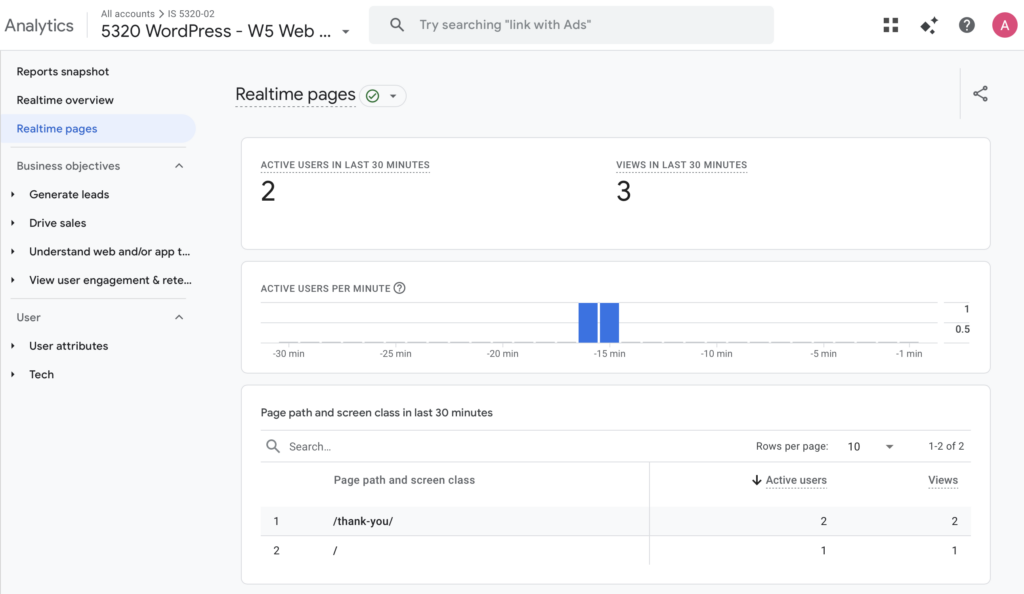
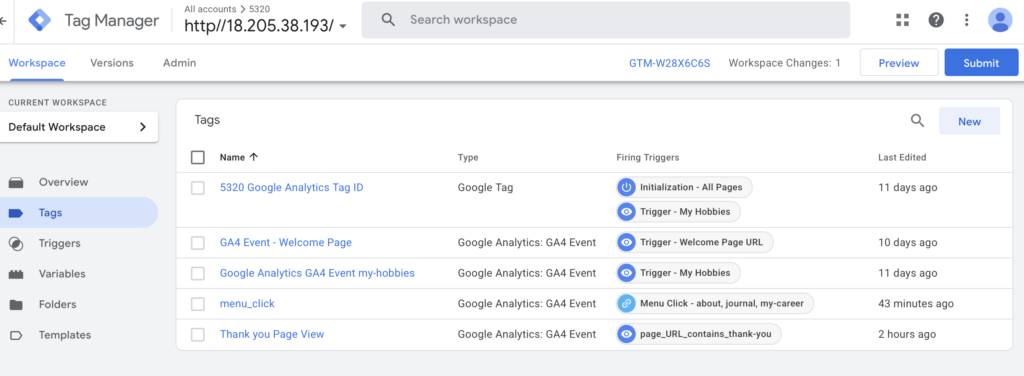
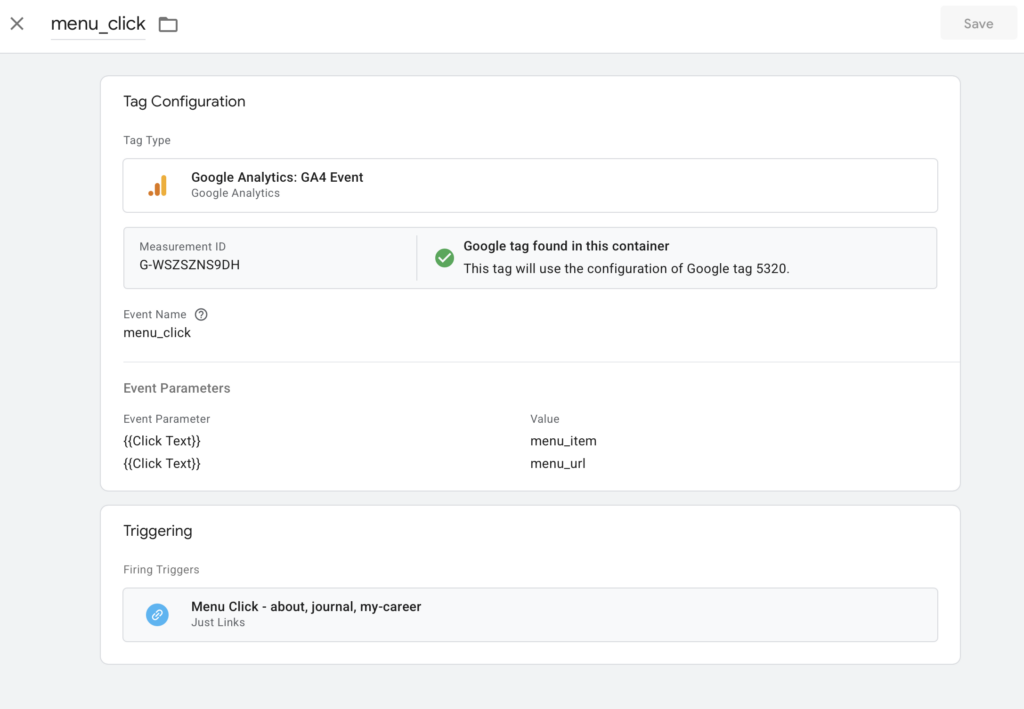
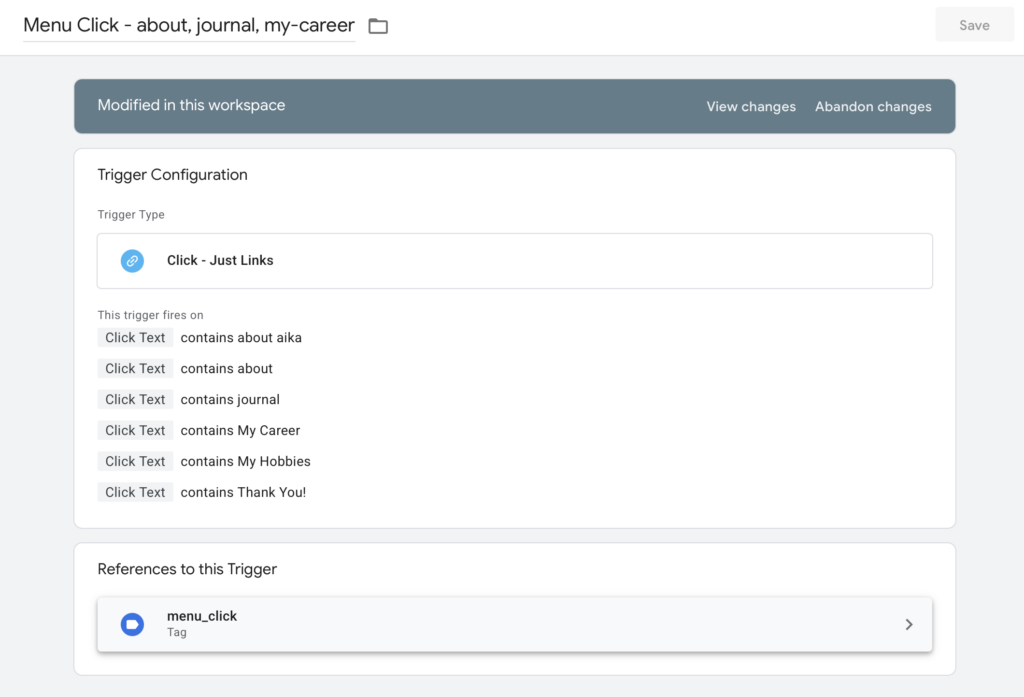
A custom event named “menu_click” was created in Google Tag Manager to track interactions with the website’s navigation menu. A click trigger was configured using the condition “Click Textcontains [menu item name], allowing the event to fire when users click a specific menu link. The event sends parameters such as the click text and click URL to GA4, enabling analysis of which navigation elements users interact with most frequently. The event was tested in GTM Preview mode and verified in the GA4 Realtime report.

HW7 Summary

Time Log

  • Aakash K., Date: February 22, 2026 From: 1:30pm To: 1:40pm
  • Venkat S., Date: February 22, 2026 From: 1:40pm To: 1:50pm
  • Doga K., Date: February 22, 2026 From: 1:50pm To: 2:00pm
  • Mau A., Date: February 22, 2026 From: 2:00pm To: 2:10pm

Essay I.

Summary of your activities in your contents including new contents created (one paragraph). Provide all the hyperlinks (clickable) of new contents you have created this week.

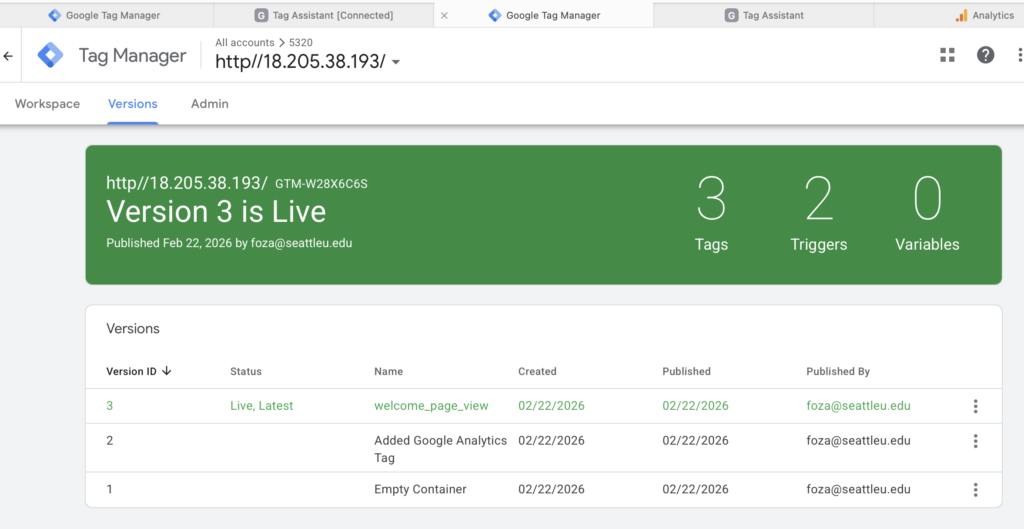
This week, I focused on both analytics implementation and content development for my website. I successfully created and installed a Google Tag Manager (GTM) container, added the required GTM snippets to my site, and configured a GA4 Configuration tag to initialize tracking and send pageview data. In addition, I created a custom GA4 Event tag with a page-view trigger to track specific user interactions, verified tag firing through Preview mode, and confirmed event tracking through GA4 reports. Alongside these technical updates, I also expanded my site content by publishing two new blog posts documenting my travel experiences in Osaka, which allowed me to apply tracking to newly created pages and observe how analytics capture user behavior on fresh content. Overall, this week’s activities helped me connect content creation with analytics implementation, strengthening both my technical understanding of GA4 tracking and my ability to measure engagement on newly published pages.

New content created this week:

Essay II.

Summary of your “Event” in GA4 (add a screenshot) (one paragraph)

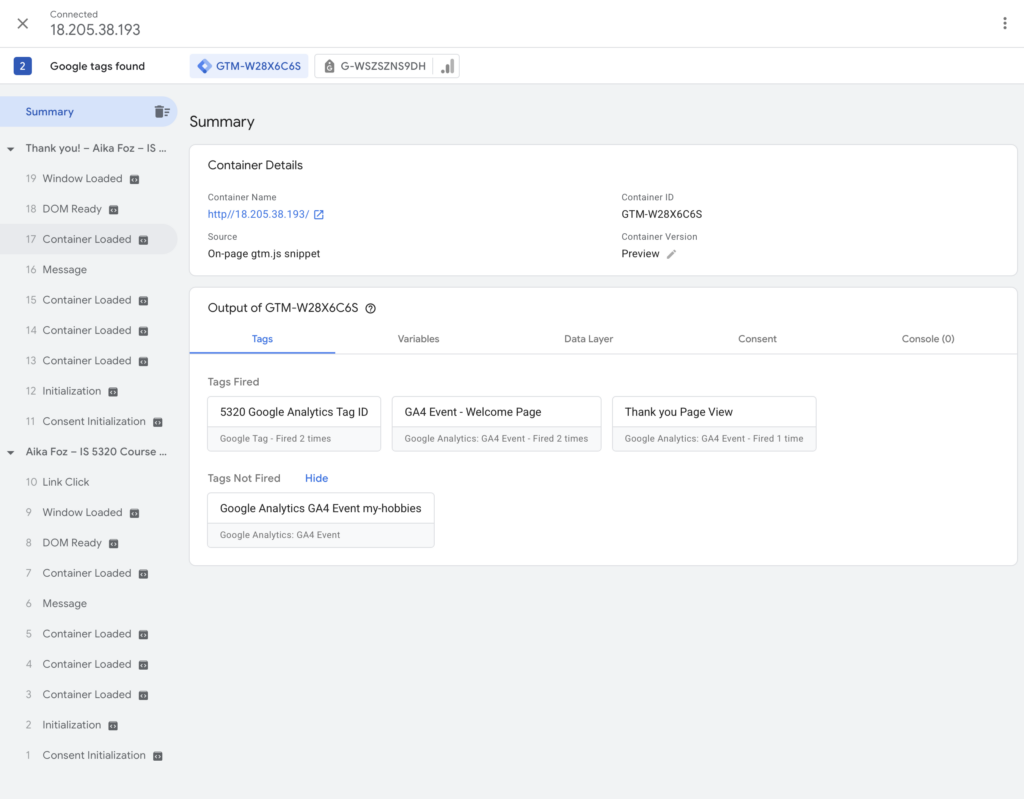
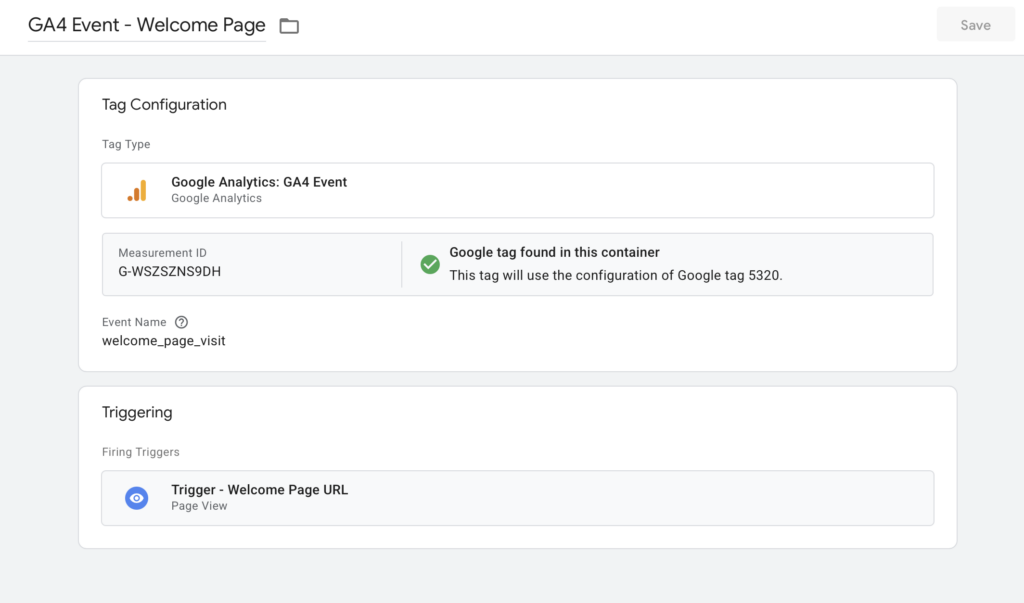
In GA4, I created and tested a custom event using Google Tag Manager to better understand how event tracking captures specific user actions beyond standard page views. The event was configured through a GA4 Event tag connected to my GA4 Configuration tag, with a trigger based on page views for a specific URL condition. After publishing and testing in Preview mode, I confirmed that the event fired correctly and appeared in GA4 under the Realtime and Event reports. Reviewing the event data helped me see how GA4 tracks user interactions at a more detailed level, allowing me to monitor engagement with specific content and better understand how visitors interact with newly created pages on my site.

Essay III.

Find and describe one of best use cases using custom events in GA4 (one paragraph)

One of the best use cases for custom events in GA4 is tracking high-intent user actions that are not automatically captured through standard page views, such as inquiry form interactions or specific content engagement. For example, on a photography website like mine, a custom event can be set up to track when a visitor views a key page (such as a portfolio or blog post), clicks an inquiry button, or reaches a confirmation page after submitting a contact form. This allows me to measure meaningful engagement rather than just traffic volume and helps identify which content drives conversions or deeper user interest. By using custom events, I can better understand user behavior, evaluate the effectiveness of specific pages, and make data-driven improvements to site content and design.

HW6 Summary

Time Log

  • Christopher Y., Date: February 18, 2026 From: 8:05am To: 8:15am
  • Nicole N., Date: February 18, 2026 From: 8:15am To: 8:25am
  • Allinet M., Date: February 18, 2026 From: 8:25am To: 8:25am
  • Hrishabh K. Date: February 18, 2026 From: 8:25am To: 8:35am

Essay I.

Summary of your activities in your contents including new contents created (one paragraph). Provide all the hyperlinks (clickable) of new contents you have created this week.

This week, I focused on developing and refining new content for my CMS site by expanding key pages that reflect my identity as a wedding photographer and storyteller. I created and updated content that highlights my photography journey, travel experiences, and personal approach to capturing intentional moments, while also improving overall site organization and readability. In addition, I refined page messaging, added supporting visuals, and adjusted navigation elements to improve user experience and content flow. These updates were designed to strengthen the storytelling aspect of the site while aligning with the overall content strategy and branding direction developed for the course.

New content created this week:

Essay II.

Summary of your “Exploration” in GA4 (add a screenshot) (one paragraph)

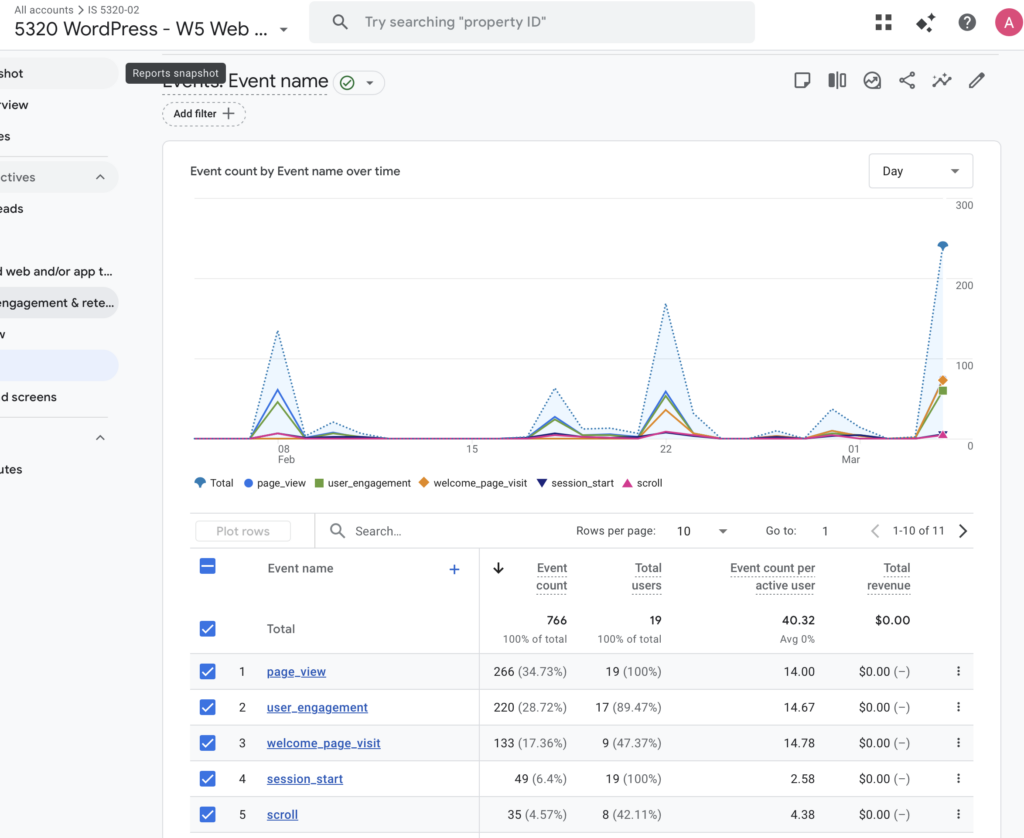
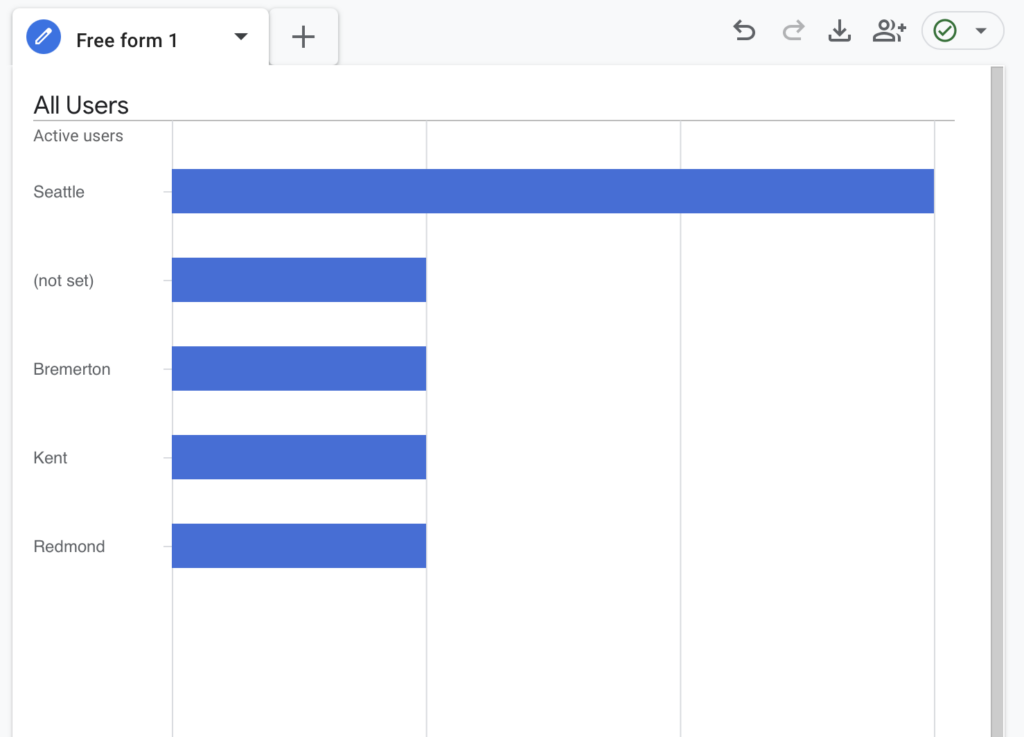
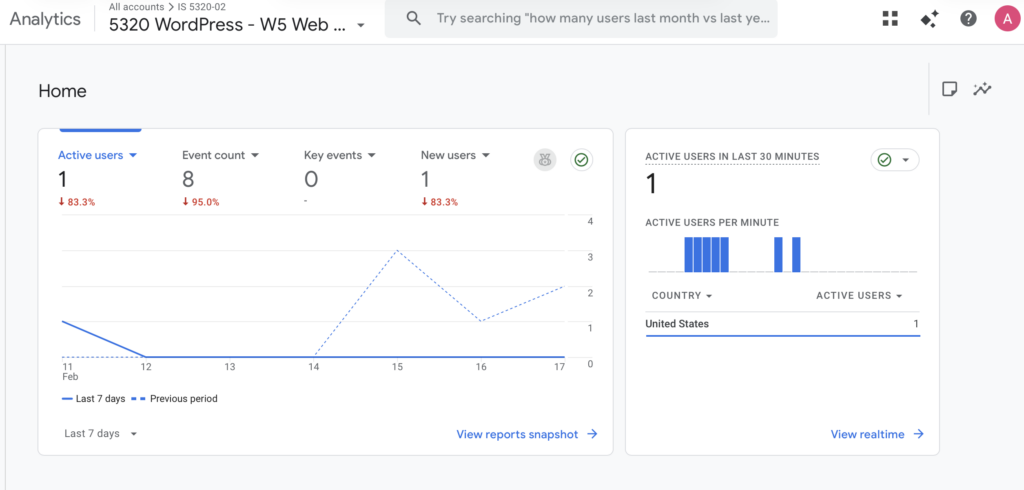
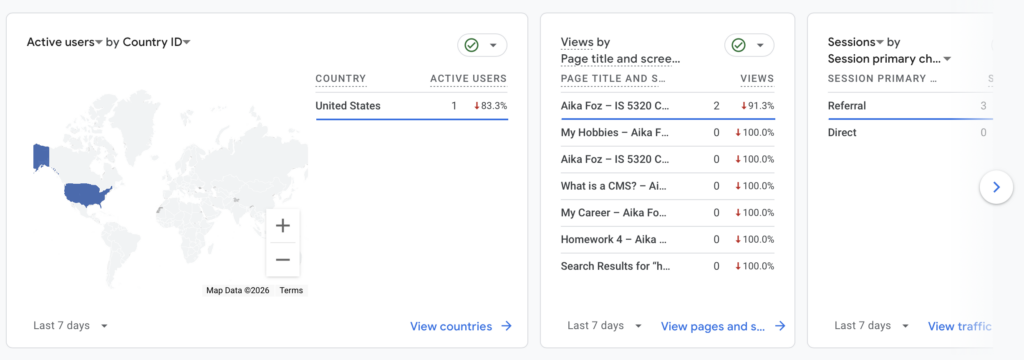
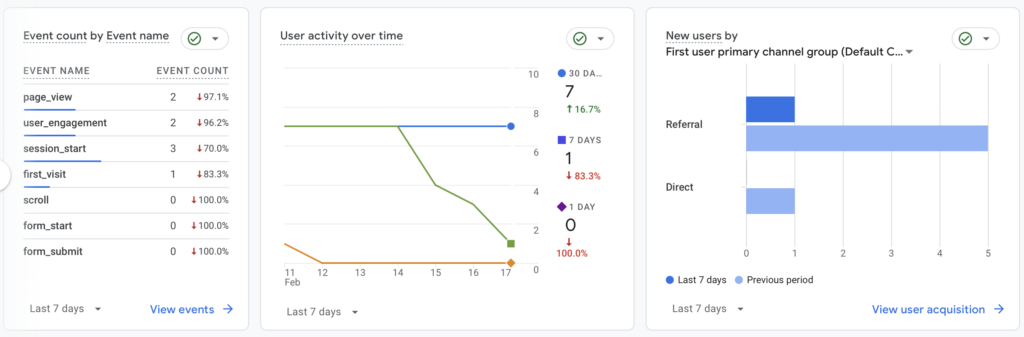
During my GA4 Exploration, I analyzed user activity, traffic sources, event tracking, and geographic data to better understand how visitors interacted with my website. Although my site experienced downtime during part of the week, which limited overall traffic, the data still provided useful insights. The reports show that most activity came from referral traffic rather than direct visits, indicating users likely accessed the site through shared links or the course-related website. Engagement events recorded included page views, session starts, and user engagement, while scroll and form-related events showed no activity, suggesting visitors did not interact deeply with longer content or conversion elements during this period. Geographic data indicated that users primarily came from the United States, with activity concentrated around Seattle and nearby cities, which aligns with my target audience. Overall, this exploration helped me understand how technical issues can impact analytics trends while also highlighting areas for improvement in engagement tracking and content interaction moving forward.

Essay III.

What have you started to see that you have not known/seen before in your site? (one paragraph)

Through my GA4 exploration, I started noticing patterns about how users actually find and interact with my site that I had not clearly seen before. For example, I observed that most of my traffic came through referral sources rather than direct visits, which helped me realize how much my site activity depends on shared links and external access rather than organic discovery. I also noticed that while page views and session starts were recorded, deeper engagement events such as scrolling or form interactions were minimal, showing that visitors may not yet be engaging fully with longer content or conversion points. Additionally, seeing location-based data helped me better understand where my audience is concentrated geographically. Overall, GA4 gave me clearer visibility into user behavior beyond just page visits, highlighting opportunities to improve engagement and content flow on my site. I’m hoping my new Journal posts this week will promote deeper engagement!

A Rehearsal Dinner Above the City | The Charlotte, Seattle

There is something quietly special about the night before a wedding.

It’s softer.
More intimate.
Less structured.

When this couple told me they were flying in from out of town and wanted to add rehearsal dinner coverage, I immediately loved the idea. I typically photograph engagement sessions for my wedding clients. Those are always meaningful and full of anticipation, but this felt different in the best way.

This wasn’t posed anticipation.
This was presence.

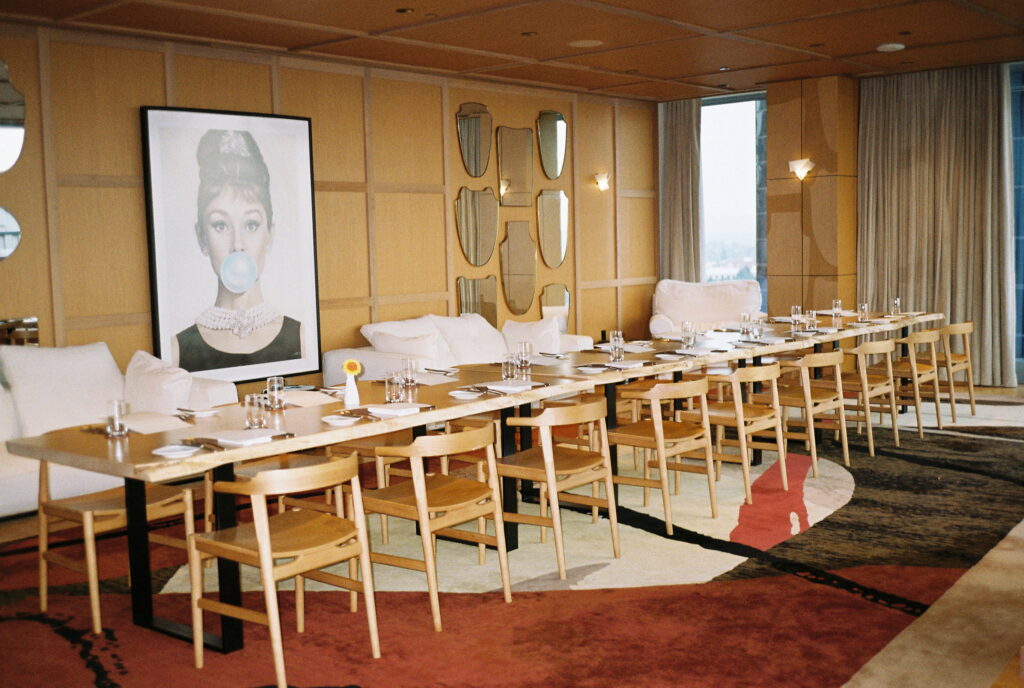
The dinner was held at The Charlotte in downtown Seattle, perched high above the city on the 16th floor. It was a warm September evening…one of those rare Pacific Northwest days that feels like summer holding on just a little longer.

The sky was overcast, as it so often is in Washington, but somehow that made the evening even more beautiful. From above, the gray clouds softened everything. The views stretched wide through floor-to-ceiling windows with Elliott Bay shimmering in the distance, Smith Tower standing timeless, Lumen Field anchoring the skyline.

There’s a life happening down at street level.
Cars moving. People rushing. City noise. Momentum.

And then there’s another life up high in the sky.

Up there, everything slows. The city feels quieter. More intentional. Almost cinematic.

A Different Kind of Engagement Session

Between welcoming guests and hosting dinner, we carved out time for a few engagement-style portraits. Just the two of them, stepping away for a moment.

No timeline pressure.
No production.
Just a pause.

The skyline behind them felt surreal, as if the city itself were celebrating with them. The warmth of the evening light reflecting against the glass, the soft gray sky, the hum of downtown far below.

It was such a beautiful shift from the traditional engagement session format. Instead of meeting somewhere separate and curated, these portraits were woven into their story…the night before they promised forever, surrounded by the people who love them most.

Modern Elegance & Meaningful Details

Inside, The Charlotte’s modern interior created an elegant contrast to the soft skies outside. Clean lines. Artistic touches. And a striking “Breakfast at Tiffany’s” artwork anchoring the space.

Classic, iconic, a nod to timeless romance.

The décor felt intentional without being overwhelming. It allowed the focus to stay where it belonged: on conversation, laughter, toasts, and the quiet glances exchanged between two people about to step into marriage.

There’s something incredibly grounding about rehearsal dinners. It’s where stories are told. Where parents hold back tears. Where friends remember who you were before you met, and celebrate who you’ve become together.

It was a relaxed evening. A warm September sky. The city stretching endlessly below.

And the gift of witnessing a couple fully present, not just as bride and groom, but as hosts, friends, children, and partners, the night before everything officially begins.

Photographing Paris: A Core Memory, On Film

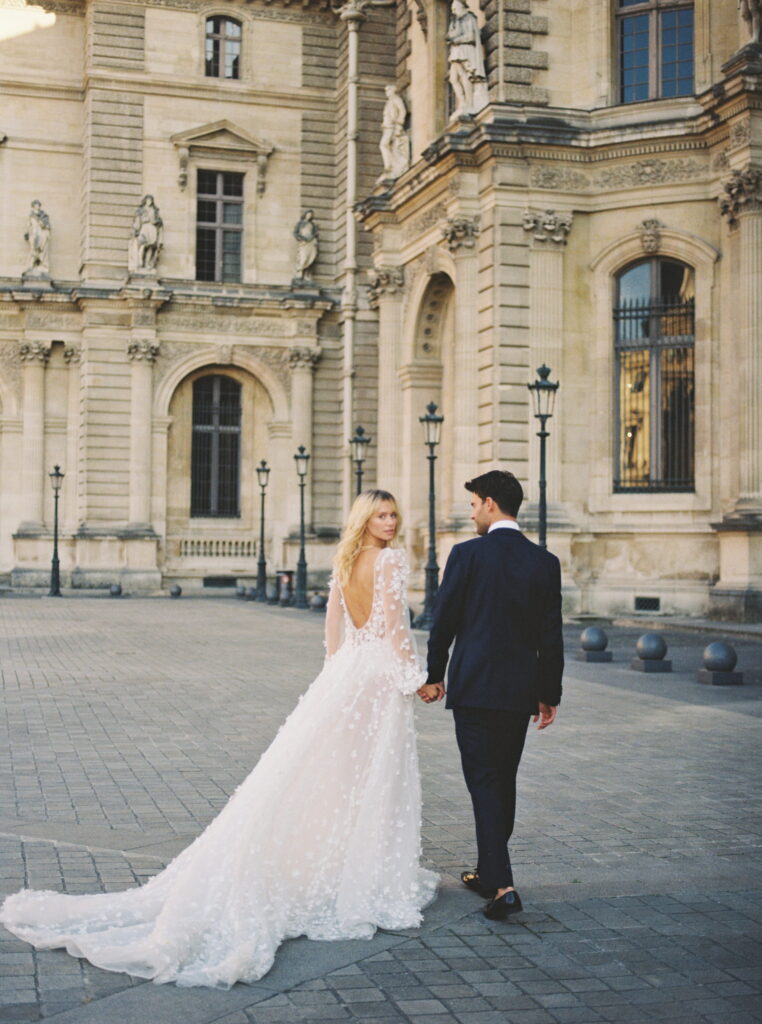
Three years ago, I photographed two pre-wedding portrait sessions in Paris.
The Ritz. The Louvre. Pont Alexandre III.

Even typing those names still feels surreal.

I remember standing in the early morning light, camera in hand, feeling like I was holding two realities at once:
I was living inside a core memory… and I was there to do a job.

There’s a strange tension in that.
The desire to fully be somewhere…to feel the air, the architecture, the hum of the city…while also carrying the quiet responsibility of creating something beautiful and lasting for someone else.

It felt cinematic. Almost unreal.

When I was in elementary, I watched the Olsen twins in their Paris movie and imagined what that city must feel like. The fashion, the romance, the bridges at sunset. Paris felt like a dream reserved for grown-up versions of myself; a future self I wasn’t yet sure I’d become.

And then suddenly, I was there.
Not just as a tourist. Not just as a dreamer.
But as a photographer.

An artist.
Working.

There is something deeply grounding about doing what you love in a place you once only saw through a screen. It collapses time. The younger version of me and the present version of me felt very close in those moments.

Why I Chose Film

For those sessions, I made it intentional to shoot both digital and film, but I prioritized film just as much.

Film has taught me to slow down.

Every frame costs something.
Each click is literal money.

Film demands intention.

It asks: Are you sure?
It asks: Did you really see that moment?

It forces me to trust my eye. To compose carefully. To wait. To feel.

What’s funny, and maybe even more poetic, is that I didn’t get around to developing the film until recently. Life happened. Work happened. Time passed.

And then one day, years later, I finally saw those images come to life.

It felt like stepping back into Paris all over again.

The light at the Louvre.
The quiet grandeur of the Ritz.
The golden glow stretching across Pont Alexandre III.

I experienced those memories once in real time…
and then again, newly, through the softness and depth only film can give.

There is something sacred about that delay. Film doesn’t rush you. It lets the memory age before revealing it back to you.

How Film Has Shaped My Digital Work

There is nothing quite like photographing on film.

And even when I’m shooting digital now, I carry that same discipline with me.

I don’t rely on rapid-fire bursts hoping one frame will be “the one.”
I move with intention.
I look longer.
I wait.

Film changed the way I see in both my professional work as well as in my personal everyday.

It taught me that photography isn’t about volume, it’s about presence. It’s about the art of noticing. It’s about honoring the moment as it unfolds instead of trying to overpower it.

Every time I get behind a lens, I feel like I’m photographing a movie.

But Paris felt like stepping inside one.

And the most beautiful part?
Three years later, I can still see it clearly.

That younger girl who once watched a Paris movie and dreamed?
She would not believe where we’ve stood.

HW5 Summary

Time log for other classmates’ sites

  • Chase B: 2/8/2026, 4:40pm – 4:47pm
  • Ankit B: 2/8/2026, 4:47pm – 5:00pm
  • Shreya S: 2/8/2026, 5:00pm – 5:08pm
  • Mafil C: 2/8/2026, 5:08pm – 5:16pm

Part I: Describe your menu structure and what you have implemented in your CMS

I implemented a structured and hierarchical navigation menu within my CMS to organize both personal content and course-related assignments in a clear and intuitive way. The main menu begins with Home, followed by About Aika, which serves as a parent menu item containing subpages for My Career and My Hobbies. This section introduces who I am and provides context about my professional background and personal interests, helping visitors understand the purpose and owner of the site.

To support coursework organization, I created a dedicated HWs (Homework) parent menu that groups assignments by week. Under HW3, I included posts explaining What is a Virtual Host Service?, What is a Container (Docker)?, and What is a CMS?, all of which are directly linked to individual blog posts. This structure allows assignments to be easily accessed while keeping the navigation uncluttered. For HW4, I added sub-items such as Hometown and Traveltown, which showcase content tied to personal history and travel experiences. I also prepared a placeholder for HW5 to I added sub-items such as HW5 Summary, My Career, and My Hobbies to showcase week 5’s homework items. Overall, this menu structure demonstrates effective use of hierarchical navigation in WordPress, making the site easy to navigate while clearly separating personal content from academic work.

Part II: Discuss what new contents you have added. Provide all the links of new contents.

As part of my work in IS 5320-02 Web Analytics, I added and configured new analytics-focused content and tracking elements to my website to support data collection, measurement, and analysis.

1. Google Analytics 4 (GA4) Tag Implementation

I implemented the Google Analytics 4 tracking tag across my website to enable consistent measurement of user activity, page views, and engagement. The GA4 tag was added to the site header so that analytics data is captured on all pages for analysis throughout the course.

Some of the Links:

2. Blog Post Tagging for Content Classification and Analysis

I added and applied blog post tags to categorize content by topic and theme. These tags function as a content taxonomy that supports analytics analysis by allowing traffic and engagement to be evaluated by content category rather than by individual pages alone.

This tagging structure enables future analysis in Google Analytics of:

  • Engagement by content topic
  • Page groupings based on tags
  • User interest patterns across related blog content

Link:

HWs Tab to organize all weekly homework in one area http://18.205.38.193/#

Blog Home http://18.205.38.193/

My Career http://18.205.38.193/2026/02/08/my-career/

My Hobbies http://18.205.38.193/2026/02/08/my-hobbies/

Part III: Discuss what you have developed/achieved in managing categories/tags

In managing categories and tags on my website, I applied what I learned about content classification and SEO best practices from WPBeginner (Category; Categories vs. Tags). Specifically, I developed a clearer taxonomy structure so that content is not only organized for usability but also more meaningful for analytics measurement.

First, I created and managed site categories to group related content under broad themes. Categories act like the primary directory of content. They tell both users and analytics systems what the main topics are on the site (WPBeginner, n.d.-a). By consistently categorizing posts (e.g., blog and homework, services overview), I was able to prepare my site so that future reports can compare performance across category groups rather than only at the individual page level.

Second, I implemented blog post tags as a more granular labeling system. According to WPBeginner (n.d.-b), tags are distinct from categories and help describe specific details or features of a post that cross category boundaries. I used tags to identify specific topics, keywords, and themes within posts so that I can analyze traffic at a more detailed level. For example, I’m hoping to use the data I pull from Google Analytics to examine user engagement on posts with similar tags even if they belong to different categories from this upcoming week of having it installed.

Managing categories and tags helped me achieve:

  • Improved content organization, which makes analytics reporting more interpretable;
  • Better content groupings, enabling analysis of behavior by topic clusters;
  • Standardized tag usage, which reduces redundancy and improves the quality of classification data in analytics.

By intentionally managing taxonomy elements like categories and tags, I strengthened my ability to segment traffic and engagement meaningfully in tools such as Google Analytics 4, supporting deeper insights into user behavior and content performance.

Part IV: Describe how you use category search for visitors (i.e., side search bar) and tag cloud plugin

To support visitor navigation and content discovery, I implemented both a category search feature (via the side search bar) and a tag cloud plugin on my website. These tools were designed to improve usability while also enabling more meaningful analysis of user behavior.

Category Search for Visitors

The category search function in the side search bar allows visitors to filter and browse content by broad topic areas. This helps users quickly locate content that aligns with their interests without needing to scroll through the entire blog.

From an analytics perspective, category-based navigation supports:

  • Analysis of which content categories attract the most user interaction
  • Understanding how visitors move between category pages and individual posts
  • Identifying high-interest content areas based on category-level engagement

This structure improves the clarity of user intent and supports better interpretation of navigation paths in Google Analytics.

Tag Cloud Plugin

The tag cloud plugin provides visitors with a visual overview of frequently used tags, allowing them to explore content based on more specific topics or keywords. Tags with higher frequency appear more prominently, helping guide users toward popular or recurring themes.

This feature supports analytics by:

  • Encouraging deeper exploration across related posts
  • Revealing which topics generate the most interest
  • Allowing analysis of engagement patterns tied to specific tags

By offering both category search and tag-based navigation, visitors can choose between broad topic exploration and more detailed content filtering.

Summary

Together, the category search bar and tag cloud plugin enhance the user experience by improving content accessibility and navigation. From a web analytics perspective, these tools support clearer analysis of user behavior, content preferences, and engagement patterns, aligning with the goals of IS5320-02 Web Analytics.

References

WPBeginner. (n.d.-a). Category. WPBeginner Glossary. https://www.wpbeginner.com/glossary/category/
WPBeginner. (n.d.-b). Categories vs. tags SEO best practices – Which one is better? WPBeginner. https://www.wpbeginner.com/beginners-guide/categories-vs-tags-seo-best-practices-which-one-is-better/

My Hobbies

Image I took on film of La Seine during my time in Paris

Outside of work and school, creativity is where I feel most alive. I love photography and videography, especially when I can tell meaningful stories through light, movement, and emotion. Cinema and the fine arts constantly inspire me, whether it’s a beautifully framed film scene, a quiet museum moment, or the way art captures what words sometimes can’t. I’m also an avid journaler, using writing as a way to reflect, process, and stay grounded as life continues to evolve.

Traveling with my family is another deep joy of mine. We recently returned from a month-long trip to Japan, where my husband and I celebrated a milestone wedding anniversary and had the chance to show our daughters the place where we first met. It felt incredibly full-circle and meaningful to experience that together as a family. I love exploring new places together, slowing down enough to truly experience them, and creating memories my kids will hopefully carry with them as they grow. At the heart of all these hobbies is a bigger intention: to live a soft, peaceful life rooted in creativity, presence, and choice. My ultimate goal is to build a life that offers my family, especially my children, the freedom to explore their interests, dream boldly, and know that they have options. That, to me, is the truest measure of success.

Italian rooftops image on film by Aika Foz Photography
Image I took on film of my view while journaling and traveling in Naples, Italy

My Career

Self-portrait taken by me, Aika Foz Photography.

Hello, and welcome!

I wanted to take a moment to share a bit about my professional background and what ultimately led me to pursue my MBA. My early career began in military and government environments, where I gained firsthand experience working within highly structured, compliance-driven organizations. I later spent time in the corporate world at an investment brokerage, followed by a brief role within a local dental office franchise. While each of these experiences shaped me in important ways, the majority of my career has been ingrained in higher education as a staff member, supporting institutional operations and research administration through grants and contracts.

I’m currently in my final year of the PMBA program at Seattle University, and earning my MBA has been a long-standing goal of mine since my undergraduate years. At first, it felt like a milestone I simply needed to reach…a box to check in order to set myself up for long-term success. About ten years ago, however, when I began my entrepreneurial journey in wedding photography, that goal became far more intentional. I realized I wasn’t chasing a single outcome, but rather the freedom of choice: the ability to grow a business I love while also maintaining the option of a traditional career path, while simultaneously growing that business alongside it.

In a space where the dominant narrative often encourages entrepreneurs to dive in headfirst and abandon the stability of a 9-5, I’ve learned to honor a different approach. I value the consistency of a steady paycheck, the security of health benefits, and the grounding structure they provide, especially while raising a family. While some are able to take that leap of faith without a safety net, my reality has required me to be more thoughtful, creative, and intentional about how I scale and grow. That balance has shaped not only my business, but my definition of success.

This MBA is giving me the formal business training to manage and sustain my photography business for the long run, while also expanding my opportunities for career mobility. Looking ahead, I hope to transition out of higher education and back into the corporate world, where I can pursue meaningful challenges, continue to grow professionally, and be compensated in a way that supports my family and the life we’re building together. I’m grateful to be on this journey with all of you and look forward to learning from the diverse experiences within this cohort.

Image I took just before one of my evening classes in March 2024