Hometown HTML
http://18.205.38.193/class/hometown.html
Traveltown HTML
http://18.205.38.193/class/traveltown.html

Aika Foz – IS 5320 Course Project
WQ26 | Seattle University
Hometown HTML
http://18.205.38.193/class/hometown.html
Traveltown HTML
http://18.205.38.193/class/traveltown.html
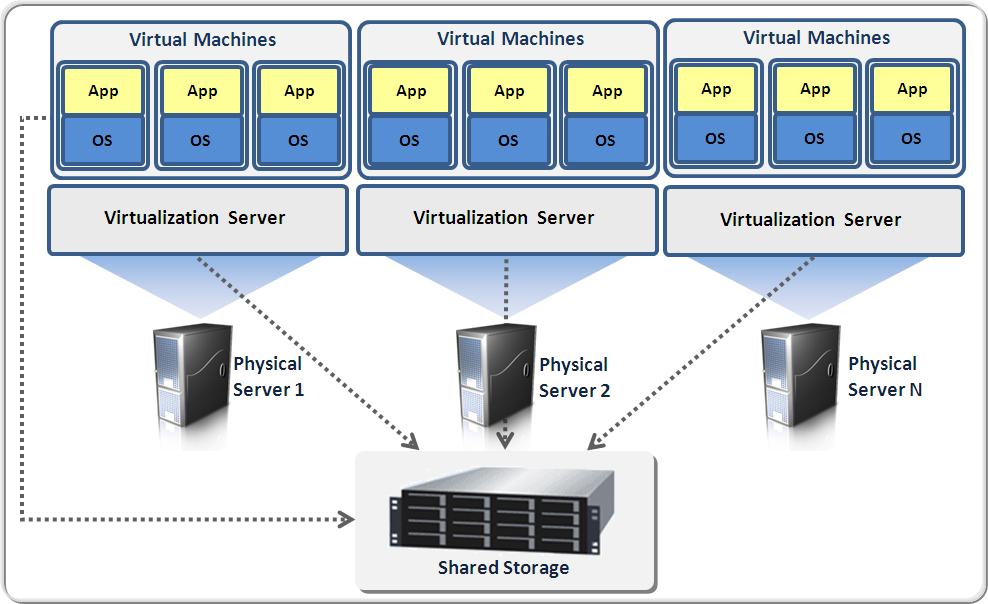
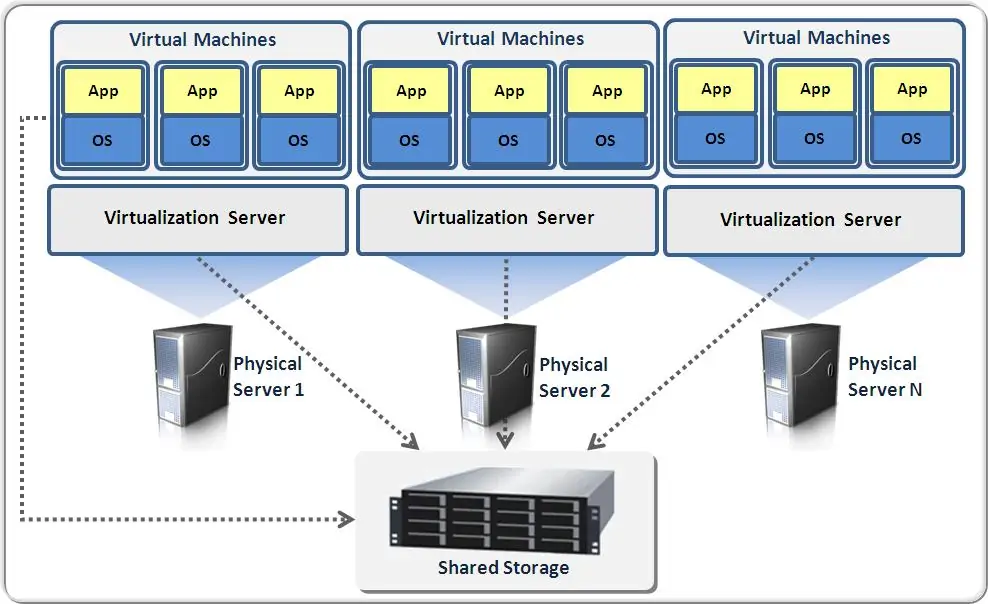
A virtual host service allows individuals or organizations to run websites and applications on cloud-based servers without owning physical hardware. Providers such as Amazon Web Services EC2 and DigitalOcean offer virtual machines that can be created, scaled, and managed on demand. These platforms provide computing power, storage, and networking through the internet, making it easier to deploy applications quickly while paying only for what is used.
From my experience setting up WordPress using Docker, virtual hosting makes experimentation much more accessible. Instead of purchasing servers, developers can launch environments in minutes. This flexibility supports learning, remote work, and business growth while reducing infrastructure costs.
Sources
Amazon Web Services. (n.d.). Amazon EC2. https://aws.amazon.com/ec2/
DigitalOcean. (n.d.). Droplets. https://www.digitalocean.com/products/droplets
Docker. (n.d.). What is a container? https://www.docker.com/resources/what-container/
WordPress. (n.d.). About WordPress. https://wordpress.org/about/
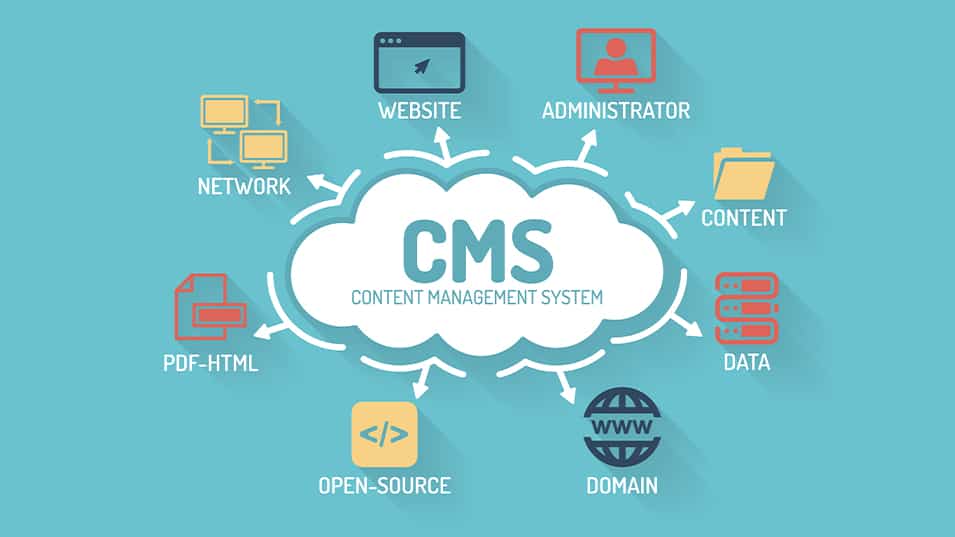
A Content Management System (CMS) allows users to create and manage digital content without advanced programming knowledge. WordPress is the world’s most popular CMS and powers millions of websites. It provides themes, plugins, and an intuitive dashboard that make publishing content easy for beginners and professionals alike.
Through this project, I learned how WordPress combines usability with flexibility. Once installed through Docker, I could customize themes, create posts, and manage media entirely through a web browser. This demonstrates how CMS platforms empower users to build professional websites with minimal technical barriers.
References
Amazon Web Services. (n.d.). Amazon EC2. https://aws.amazon.com/ec2/
DigitalOcean. (n.d.). Droplets. https://www.digitalocean.com/products/droplets
Docker. (n.d.). What is a container? https://www.docker.com/resources/what-container/
WordPress. (n.d.). About WordPress. https://wordpress.org/about/
A container is a lightweight package that includes everything an application needs to run: code, libraries, and system tools. Docker is the most popular container platform and allows applications to run consistently across different environments. Containers are faster and more efficient than traditional virtual machines because they share the host system’s kernel while remaining isolated.
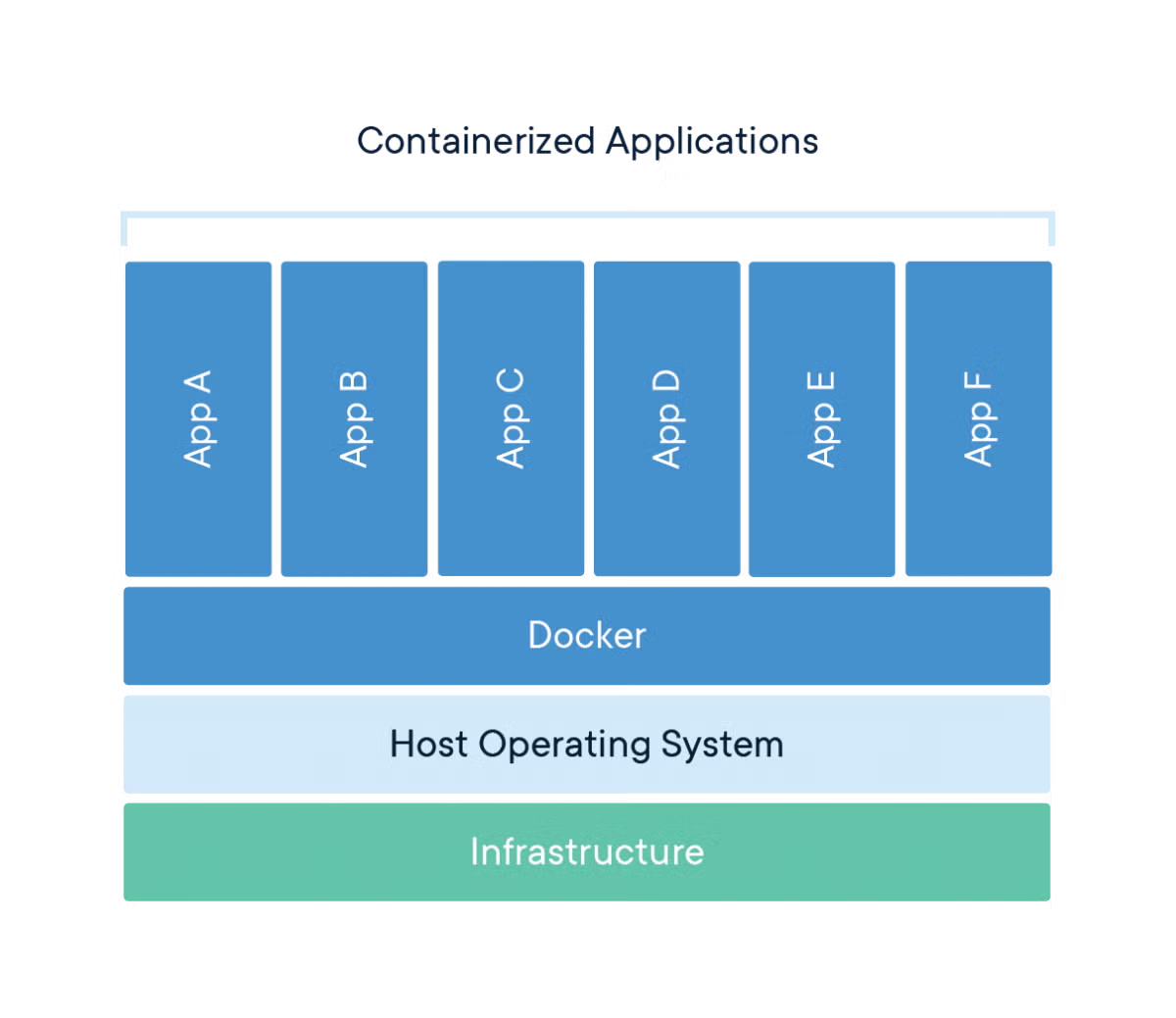
Using Docker for this project showed me how powerful containers are for development. With Docker Compose, I launched WordPress and MySQL together in seconds. This approach simplifies deployment, improves consistency, and supports modern DevOps workflows.
References
Amazon Web Services. (n.d.). Amazon EC2. https://aws.amazon.com/ec2/
DigitalOcean. (n.d.). Droplets. https://www.digitalocean.com/products/droplets
Docker. (n.d.). What is a container? https://www.docker.com/resources/what-container/
WordPress. (n.d.). About WordPress. https://wordpress.org/about/