
Time Log Teams
- Date: March 4, 2026 From: 4:30pm To: 4:50pm
- Date: March 4, 2026 From: 4:50pm To: 5:20pm
- Date: March 5, 2026 From: 9:30pm To: 10:10pm
- Date: March 8, 2026 From: 6:00pm To: 6:30pm
Time Log Students
- Date: March 2, 2026 From: 6:30pm To: 6:50pm
- Date: March 6, 2026 From: 4:50pm To: 5:20pm
- Date: March 6, 2026 From: 5:20pm To: 5:40pm
- Date: March 7, 2026 From: 7:30pm To: 8:10pm
Essay I.
Summary of your activities in your contents including new contents created (one paragraph). Provide all the hyperlinks (clickable) of new contents you have created this week.
This week, I expanded the content on my personal website by creating two new blog posts that reflect my creative interests and personal experiences. I decided to do something different and created two lifestyle-focused posts that explore hobbies I enjoy outside of photography, including bullet journaling and collecting blind boxes. These posts help broaden the tone of the site by blending personal storytelling with reflections on creativity, travel, and everyday inspiration. Together, these additions continue to develop my website as a space that documents both my artistic work and the experiences that shape it.
New content created this week:
Essay II.
Summary/analysis of your “automated insights” (add screenshots) (one paragraph).
Automated Insights in Google Analytics 4 use machine learning to automatically detect patterns, trends, and anomalies in website data. These insights help analysts quickly understand changes in user behavior without manually analyzing reports. In my GA4 dashboard, automated insights can be accessed through the Reports Snapshot and the Insights panel located on the right side of the interface. The Insights panel allows users to ask questions using Analytics Intelligence or select suggested questions that generate quick data summaries. For example, I was able to view insights related to active users, traffic trends, and returning visitors directly through the system. These automated insights provide a quick overview of site performance and help identify potential patterns in user activity on my website.
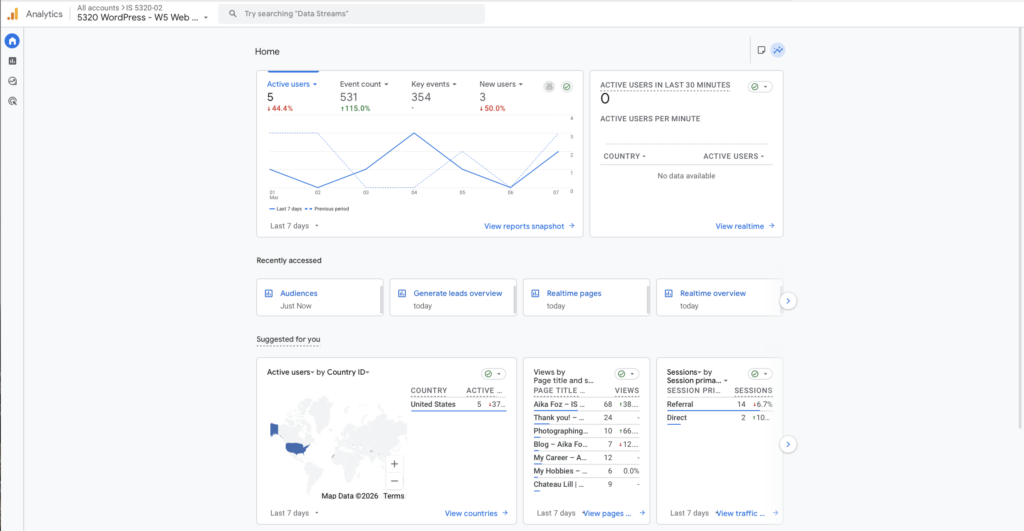
Figure 1. GA4 Reports Snapshot showing the Automated Insights section.
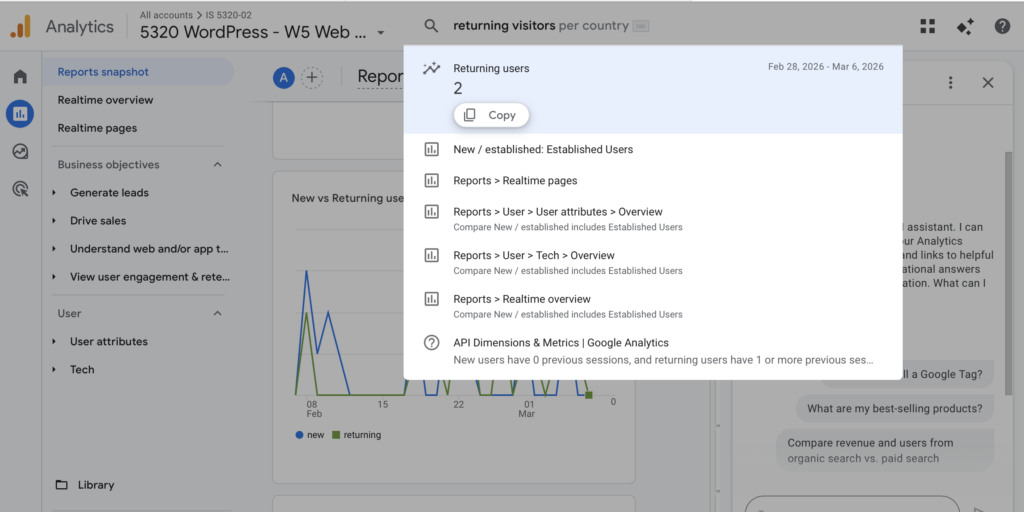
Figure 2. Analytics Intelligence panel used to ask questions about site data.
Essay III.
Summary/analysis of your “custom insights” (add screenshots) (one paragraph).
Custom Insights in Google Analytics 4 allow analysts to monitor specific metrics and automatically receive alerts when unusual changes occur in website performance. In this exercise, I created several custom insights to track important activity on my website. One example monitors user engagement and triggers an alert when engagement increases by more than 10 percent compared to the previous day. The insight evaluates data daily and can send email notifications when the condition is met. By defining custom rules such as changes in engagement, event counts, or traffic spikes, GA4 allows analysts to proactively monitor key performance indicators. Custom insights help site owners quickly identify significant trends or changes in user behavior without constantly reviewing reports manually.
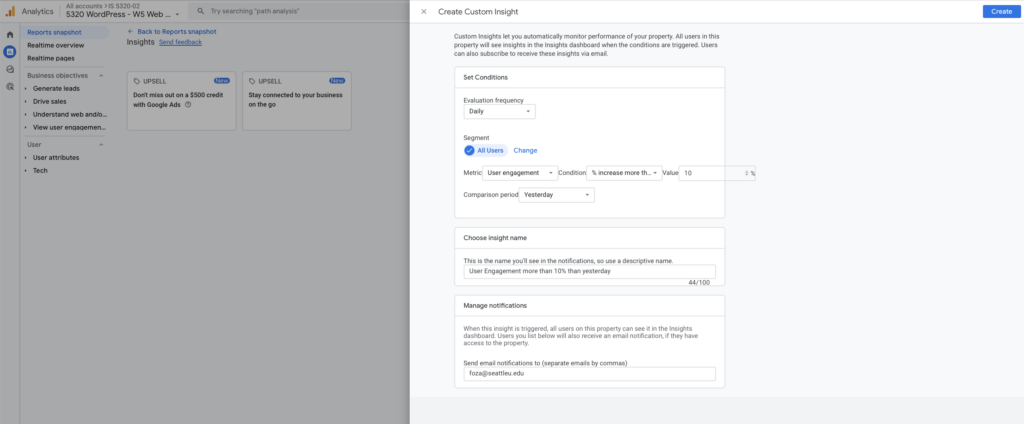
Figure 3. Custom Insights dashboard displaying configured monitoring rules.
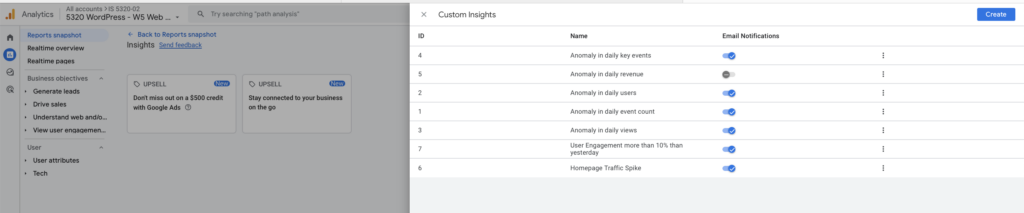
Figure 4. Example of a Custom Insight configuration monitoring user engagement changes.