HW9 Summary

Time Log Teams

  • Date: March 4, 2026 From: 4:30pm To: 4:50pm
  • Date: March 4, 2026 From: 4:50pm To: 5:20pm
  • Date: March 5, 2026 From: 9:30pm To: 10:10pm
  • Date: March 8, 2026 From: 6:00pm To: 6:30pm 

Time Log Students

  • Date: March 2, 2026 From: 6:30pm To: 6:50pm
  • Date: March 6, 2026 From: 4:50pm To: 5:20pm
  • Date: March 6, 2026 From: 5:20pm To: 5:40pm
  • Date: March 7, 2026 From: 7:30pm To: 8:10pm

Essay I.

Summary of your activities in your contents including new contents created (one paragraph). Provide all the hyperlinks (clickable) of new contents you have created this week.

This week, I expanded the content on my personal website by creating two new blog posts that reflect my creative interests and personal experiences. I decided to do something different and created two lifestyle-focused posts that explore hobbies I enjoy outside of photography, including bullet journaling and collecting blind boxes. These posts help broaden the tone of the site by blending personal storytelling with reflections on creativity, travel, and everyday inspiration. Together, these additions continue to develop my website as a space that documents both my artistic work and the experiences that shape it.

New content created this week:

Essay II.

Summary/analysis of your “automated insights” (add screenshots) (one paragraph).

Automated Insights in Google Analytics 4 use machine learning to automatically detect patterns, trends, and anomalies in website data. These insights help analysts quickly understand changes in user behavior without manually analyzing reports. In my GA4 dashboard, automated insights can be accessed through the Reports Snapshot and the Insights panel located on the right side of the interface. The Insights panel allows users to ask questions using Analytics Intelligence or select suggested questions that generate quick data summaries. For example, I was able to view insights related to active users, traffic trends, and returning visitors directly through the system. These automated insights provide a quick overview of site performance and help identify potential patterns in user activity on my website.
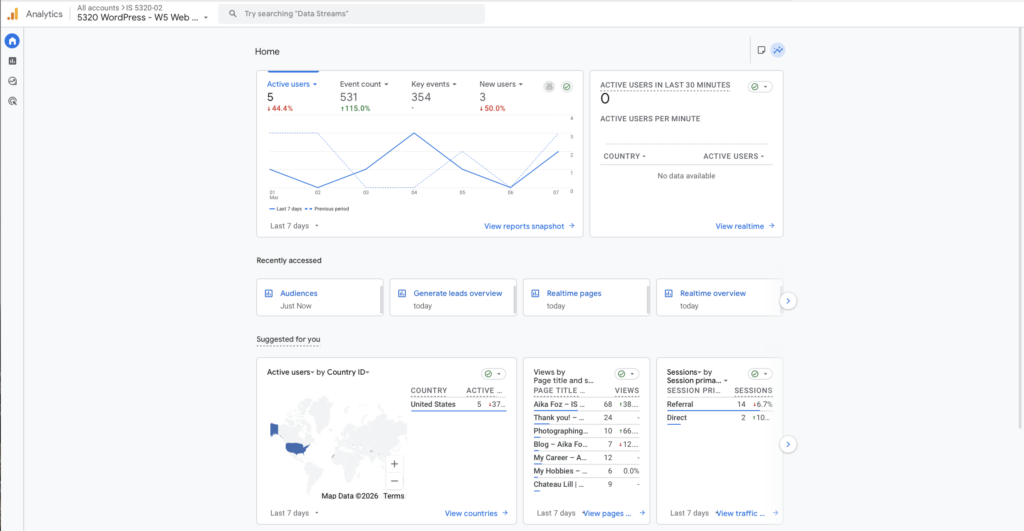
Figure 1. GA4 Reports Snapshot showing the Automated Insights section.
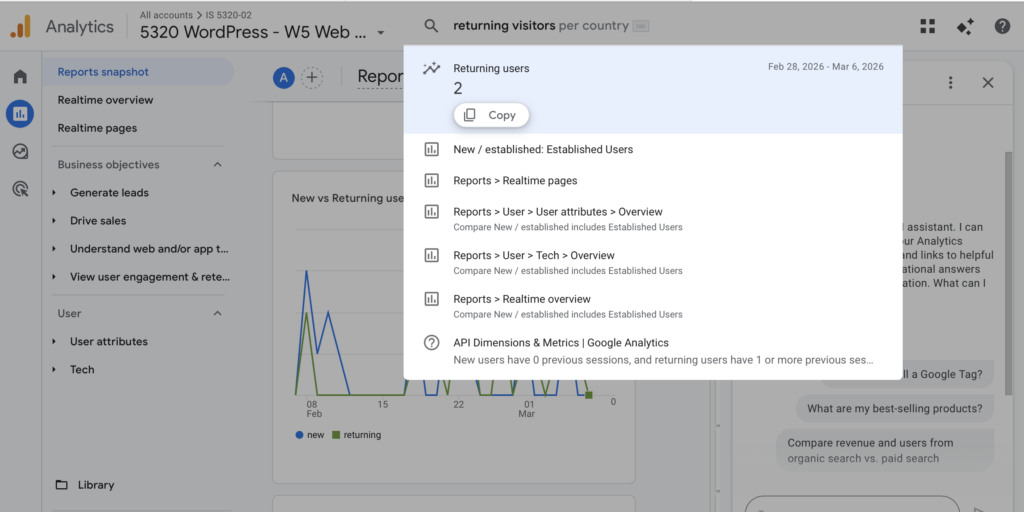
Figure 2. Analytics Intelligence panel used to ask questions about site data.

Essay III.

Summary/analysis of your “custom insights” (add screenshots) (one paragraph).

Custom Insights in Google Analytics 4 allow analysts to monitor specific metrics and automatically receive alerts when unusual changes occur in website performance. In this exercise, I created several custom insights to track important activity on my website. One example monitors user engagement and triggers an alert when engagement increases by more than 10 percent compared to the previous day. The insight evaluates data daily and can send email notifications when the condition is met. By defining custom rules such as changes in engagement, event counts, or traffic spikes, GA4 allows analysts to proactively monitor key performance indicators. Custom insights help site owners quickly identify significant trends or changes in user behavior without constantly reviewing reports manually.
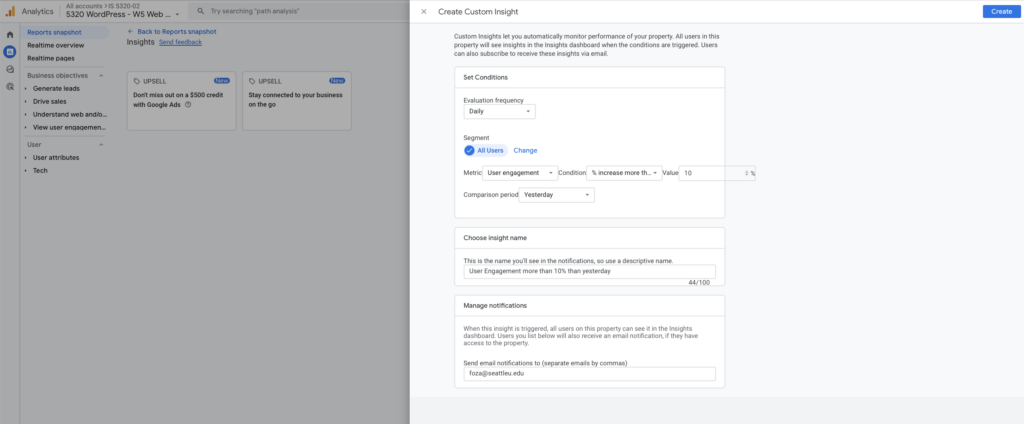
Figure 3. Custom Insights dashboard displaying configured monitoring rules.
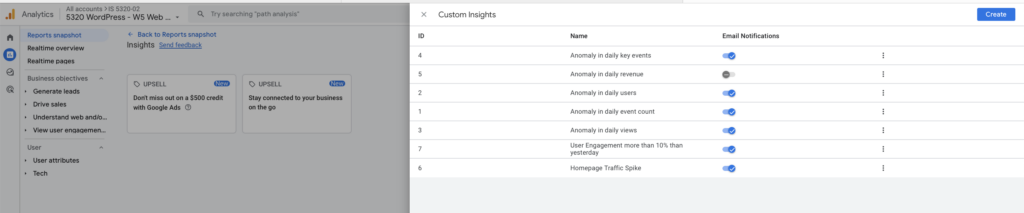
Figure 4. Example of a Custom Insight configuration monitoring user engagement changes.
HW7 Summary

Time Log

  • Aakash K., Date: February 22, 2026 From: 1:30pm To: 1:40pm
  • Venkat S., Date: February 22, 2026 From: 1:40pm To: 1:50pm
  • Doga K., Date: February 22, 2026 From: 1:50pm To: 2:00pm
  • Mau A., Date: February 22, 2026 From: 2:00pm To: 2:10pm

Essay I.

Summary of your activities in your contents including new contents created (one paragraph). Provide all the hyperlinks (clickable) of new contents you have created this week.

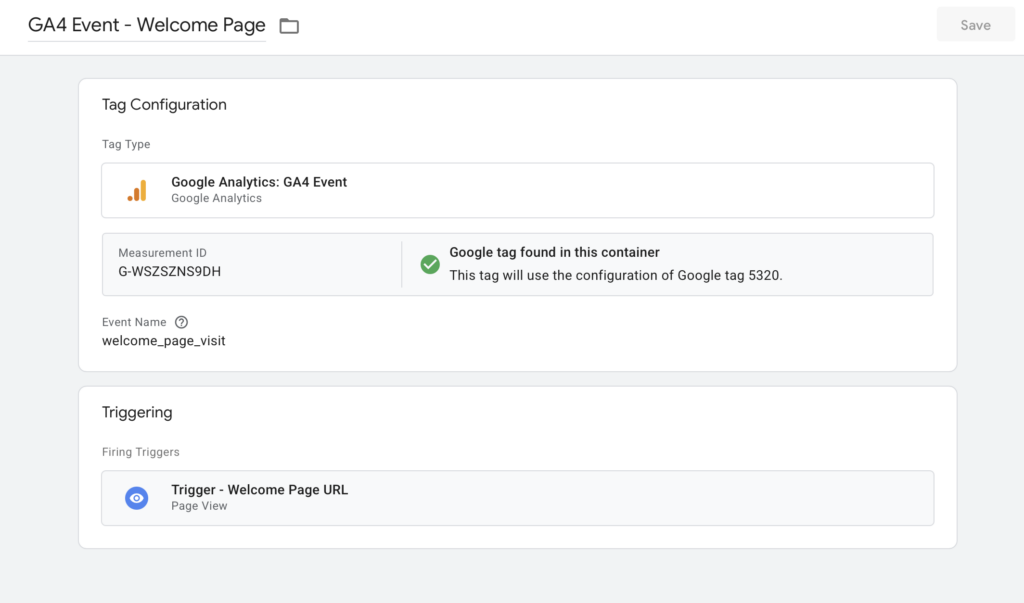
This week, I focused on both analytics implementation and content development for my website. I successfully created and installed a Google Tag Manager (GTM) container, added the required GTM snippets to my site, and configured a GA4 Configuration tag to initialize tracking and send pageview data. In addition, I created a custom GA4 Event tag with a page-view trigger to track specific user interactions, verified tag firing through Preview mode, and confirmed event tracking through GA4 reports. Alongside these technical updates, I also expanded my site content by publishing two new blog posts documenting my travel experiences in Osaka, which allowed me to apply tracking to newly created pages and observe how analytics capture user behavior on fresh content. Overall, this week’s activities helped me connect content creation with analytics implementation, strengthening both my technical understanding of GA4 tracking and my ability to measure engagement on newly published pages.

New content created this week:

Essay II.

Summary of your “Event” in GA4 (add a screenshot) (one paragraph)

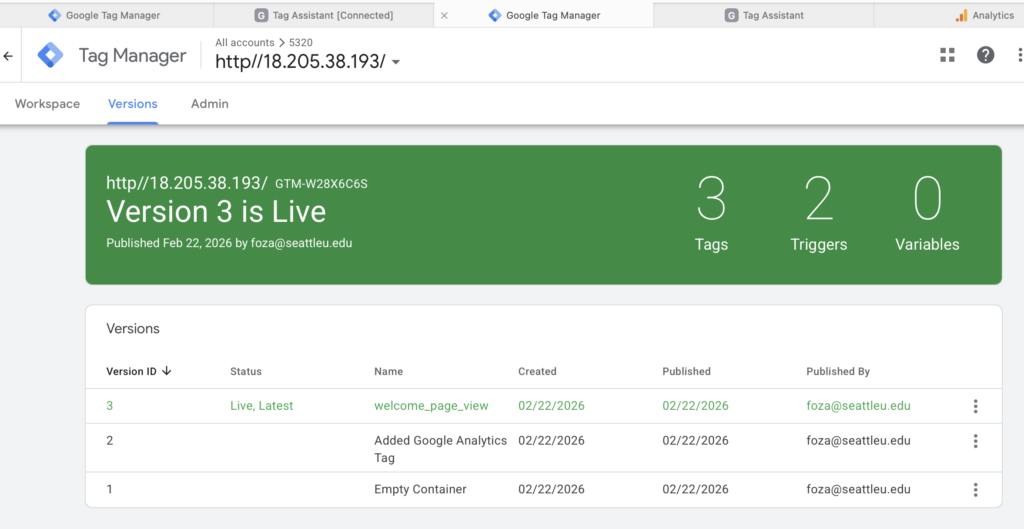
In GA4, I created and tested a custom event using Google Tag Manager to better understand how event tracking captures specific user actions beyond standard page views. The event was configured through a GA4 Event tag connected to my GA4 Configuration tag, with a trigger based on page views for a specific URL condition. After publishing and testing in Preview mode, I confirmed that the event fired correctly and appeared in GA4 under the Realtime and Event reports. Reviewing the event data helped me see how GA4 tracks user interactions at a more detailed level, allowing me to monitor engagement with specific content and better understand how visitors interact with newly created pages on my site.

Essay III.

Find and describe one of best use cases using custom events in GA4 (one paragraph)

One of the best use cases for custom events in GA4 is tracking high-intent user actions that are not automatically captured through standard page views, such as inquiry form interactions or specific content engagement. For example, on a photography website like mine, a custom event can be set up to track when a visitor views a key page (such as a portfolio or blog post), clicks an inquiry button, or reaches a confirmation page after submitting a contact form. This allows me to measure meaningful engagement rather than just traffic volume and helps identify which content drives conversions or deeper user interest. By using custom events, I can better understand user behavior, evaluate the effectiveness of specific pages, and make data-driven improvements to site content and design.

HW6 Summary

Time Log

  • Christopher Y., Date: February 18, 2026 From: 8:05am To: 8:15am
  • Nicole N., Date: February 18, 2026 From: 8:15am To: 8:25am
  • Allinet M., Date: February 18, 2026 From: 8:25am To: 8:25am
  • Hrishabh K. Date: February 18, 2026 From: 8:25am To: 8:35am

Essay I.

Summary of your activities in your contents including new contents created (one paragraph). Provide all the hyperlinks (clickable) of new contents you have created this week.

This week, I focused on developing and refining new content for my CMS site by expanding key pages that reflect my identity as a wedding photographer and storyteller. I created and updated content that highlights my photography journey, travel experiences, and personal approach to capturing intentional moments, while also improving overall site organization and readability. In addition, I refined page messaging, added supporting visuals, and adjusted navigation elements to improve user experience and content flow. These updates were designed to strengthen the storytelling aspect of the site while aligning with the overall content strategy and branding direction developed for the course.

New content created this week:

Essay II.

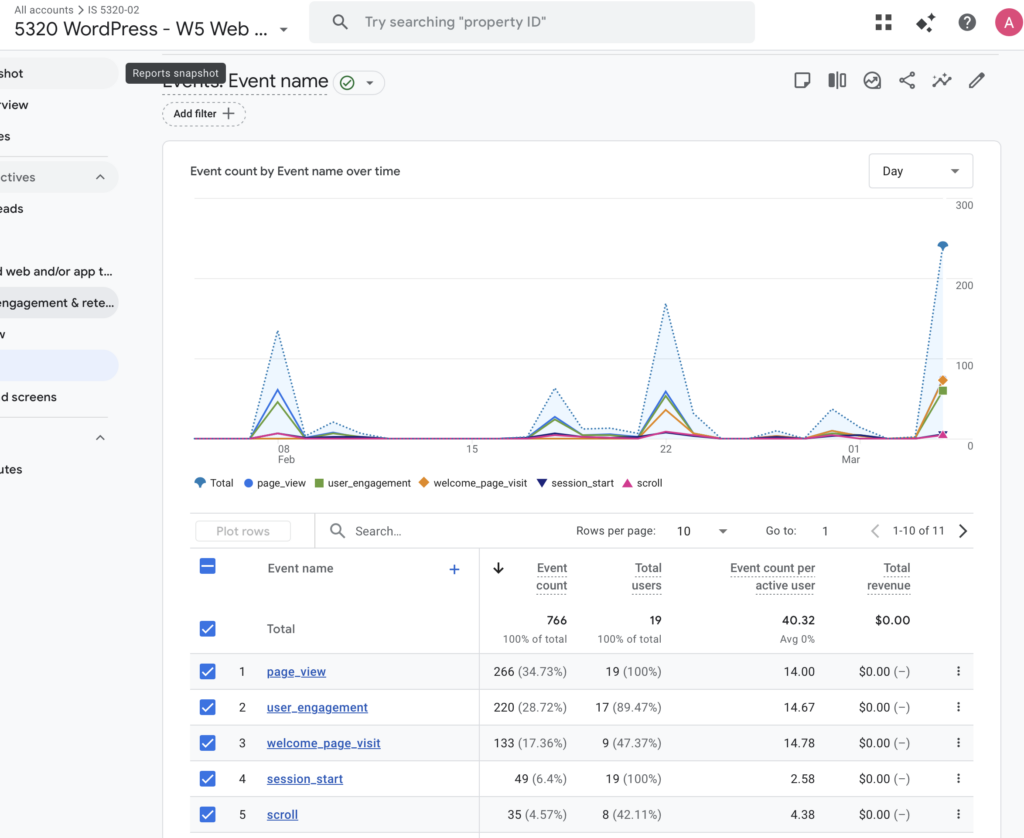
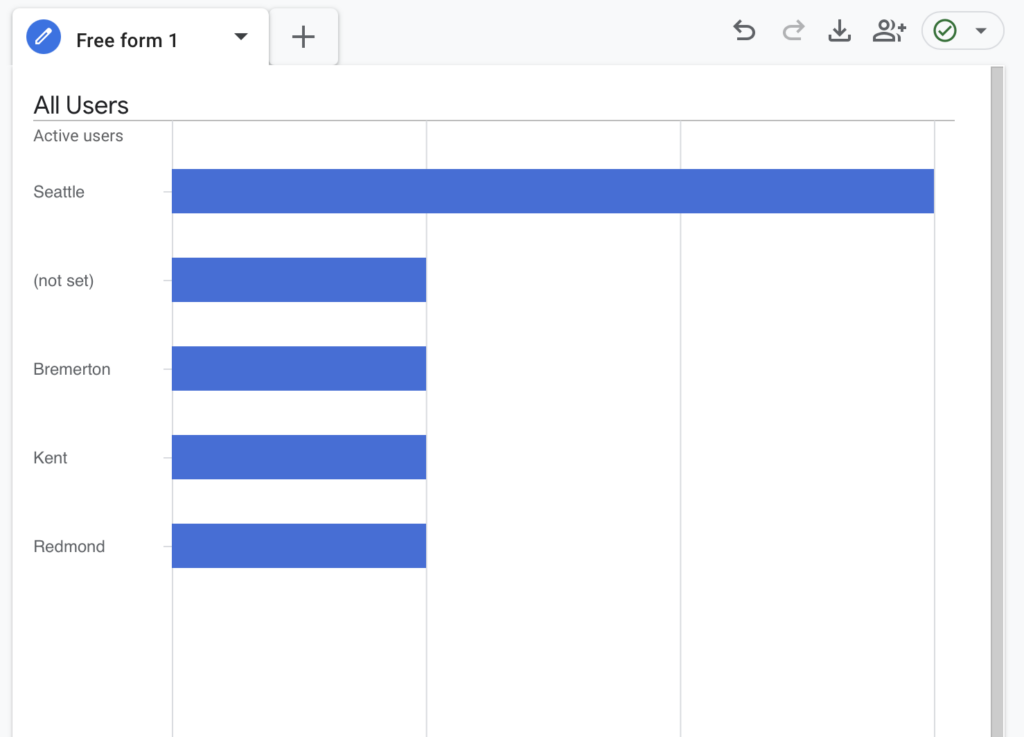
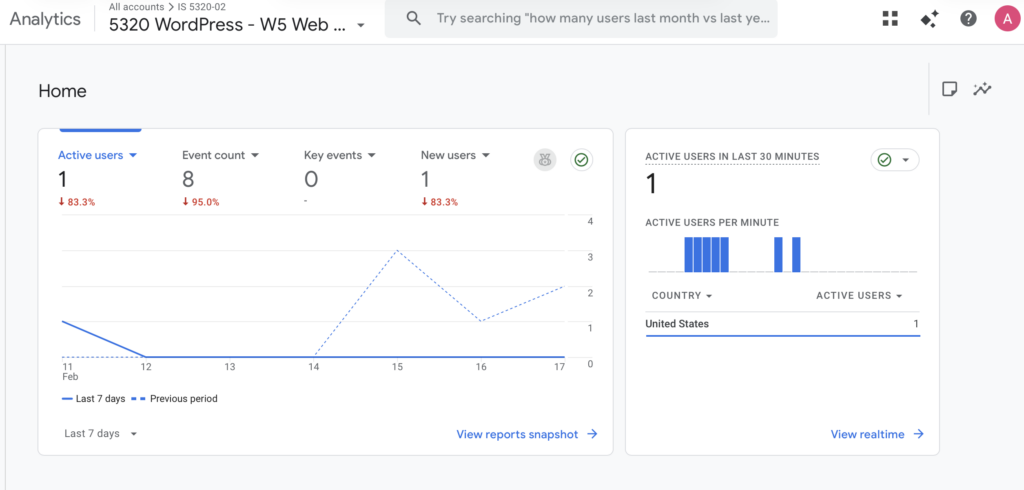
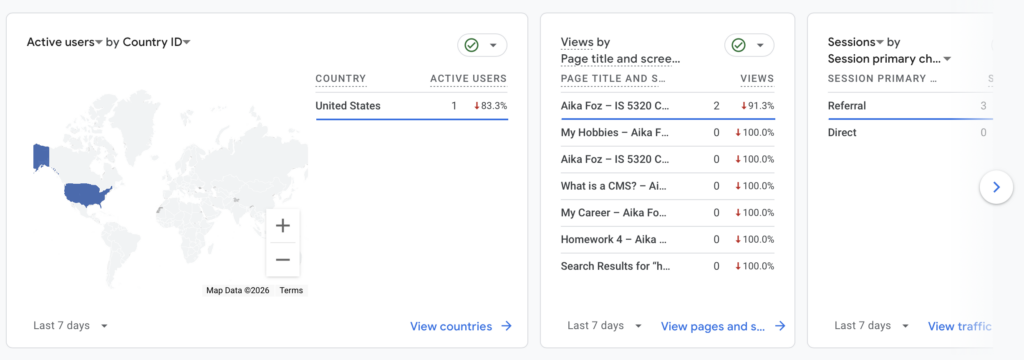
Summary of your “Exploration” in GA4 (add a screenshot) (one paragraph)

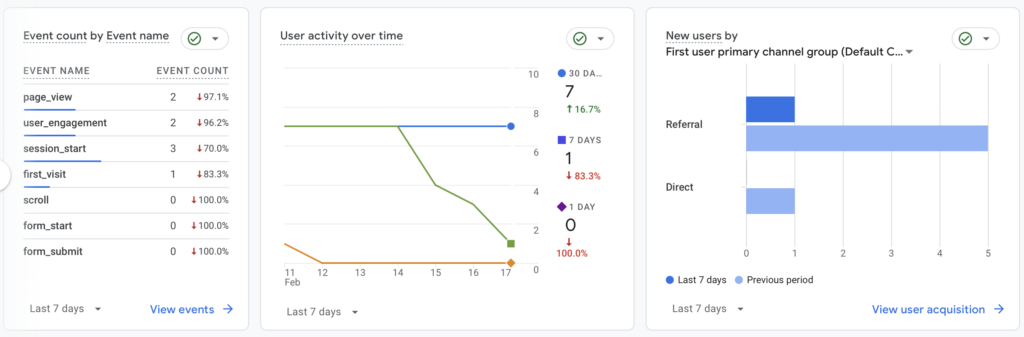
During my GA4 Exploration, I analyzed user activity, traffic sources, event tracking, and geographic data to better understand how visitors interacted with my website. Although my site experienced downtime during part of the week, which limited overall traffic, the data still provided useful insights. The reports show that most activity came from referral traffic rather than direct visits, indicating users likely accessed the site through shared links or the course-related website. Engagement events recorded included page views, session starts, and user engagement, while scroll and form-related events showed no activity, suggesting visitors did not interact deeply with longer content or conversion elements during this period. Geographic data indicated that users primarily came from the United States, with activity concentrated around Seattle and nearby cities, which aligns with my target audience. Overall, this exploration helped me understand how technical issues can impact analytics trends while also highlighting areas for improvement in engagement tracking and content interaction moving forward.

Essay III.

What have you started to see that you have not known/seen before in your site? (one paragraph)

Through my GA4 exploration, I started noticing patterns about how users actually find and interact with my site that I had not clearly seen before. For example, I observed that most of my traffic came through referral sources rather than direct visits, which helped me realize how much my site activity depends on shared links and external access rather than organic discovery. I also noticed that while page views and session starts were recorded, deeper engagement events such as scrolling or form interactions were minimal, showing that visitors may not yet be engaging fully with longer content or conversion points. Additionally, seeing location-based data helped me better understand where my audience is concentrated geographically. Overall, GA4 gave me clearer visibility into user behavior beyond just page visits, highlighting opportunities to improve engagement and content flow on my site. I’m hoping my new Journal posts this week will promote deeper engagement!